
Base64 Encoder & Decoder – The Complete Guide to Encoding and Decoding Data Online for Free
In this article
- What Is Base64 Encoding?
- What Is Base64 Decoding?
- Why Use Base64 Encoding?
- Why Choose FreeToolConvert Base64 Encoder & Decoder?
- How to Encode Base64 Online (Step-by-Step Guide)
- How to Decode Base64 Online
- Features of FreeToolConvert Base64 Tool
- Common Use Cases of Base64 Encoding
- 1. Embedding Images in HTML
- 2. API Authentication
- 3. Email Attachments
- Base64 Encoder vs Encryption
- SEO Benefits of Base64 Encoding
- Base64 for Web Developers
- Base64 for Designers
- Base64 for Cybersecurity
- Common Mistakes in Base64 Encoding
- Best Practices for Base64 Usage
- Base64 Encoding Size Impact
- Mobile Base64 Encoding: Encode Base64 Online
- Security & Privacy: Encoding and Decoding Data Online for Free
- Advanced Features of FreeToolConvert
- Future of Base64 Tools: Base64 Encoder & Decoder
- Encode & Decode Base64 Instantly
Base64 Encoder & Decoder: In today’s digital ecosystem, data needs to be transferred quickly, securely, and reliably across different systems, platforms, and applications. Whether you're working with APIs, embedding images in HTML, handling email attachments, or securing sensitive data formats—Base64 encoding plays a crucial role.
This is where a Base64 Encoder & Decoder becomes an essential tool.
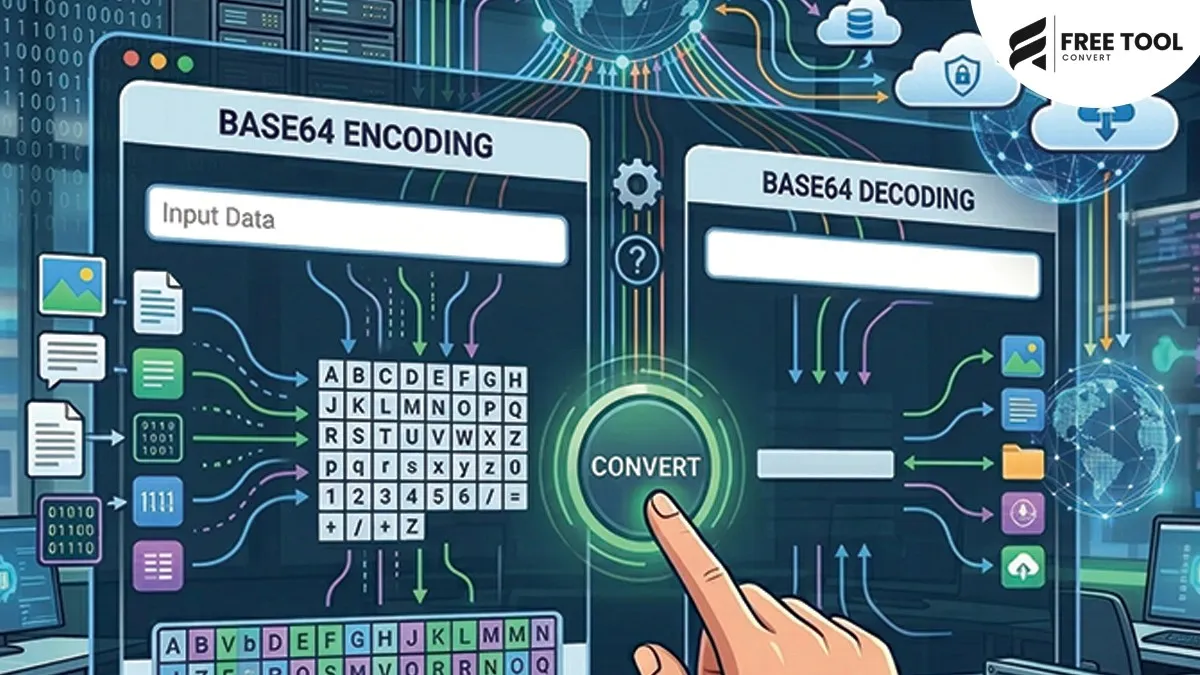
With FreeToolConvert’s Base64 Encoder & Decoder, you can instantly encode plain text or files into Base64 format and decode Base64 back into readable content — all online, free, and without installing any software.
What Is Base64 Encoding?
Base64 encoding is a method of converting binary data (such as images, files, or text) into a readable ASCII string format. It uses a set of 64 characters:
- A–Z
- a–z
- 0–9
- and /
This encoding allows data to be safely transmitted over systems that may not support binary data.
What Is Base64 Decoding?
Base64 decoding is the reverse process — converting Base64-encoded data back into its original format.
For example:
- Encoded data → Decoded into text, image, or file
A Base64 decoder tool makes this process fast and error-free.
Why Use Base64 Encoding?
Here are the main reasons why Base64 encoding is widely used:
1. Safe Data Transmission
Ensures data can be transmitted without corruption.
2. Email Attachments
Used in MIME (Multipurpose Internet Mail Extensions).
3. Embedding Images in HTML/CSS
Convert images into Base64 for inline usage.
4. API Communication
Used for encoding authentication tokens.
5. Data Storage
Stores binary data in text-based formats.
Why Choose FreeToolConvert Base64 Encoder & Decoder?
FreeToolConvert Base64 Tool offers the following:
- Instant encoding and decoding
- 100% free usage
- No login required
- Secure processing
- Fast performance
- Mobile-friendly interface
- Supports large data input
- Copy-to-clipboard functionality
It is one of the best tools to encode and decode Base64 online free.
How to Encode Base64 Online (Step-by-Step Guide)
Step 1: Open FreeToolConvert Base64 Tool
Access the encoder in your browser.
Step 2: Enter Text or Upload File
Paste your text or upload data.
Step 3: Click Encode
The tool converts data into Base64 instantly.
Step 4: Copy Output
Use an encoded string wherever needed.
How to Decode Base64 Online
Step 1: Paste Base64 Data
Enter encoded string.
Step 2: Click Decode
Convert back to original format.
Step 3: Download or Copy
Use decoded content instantly.
Features of FreeToolConvert Base64 Tool
- Base64 text encoder
- Base64 text decoder
- File-to-Base64 conversion
- Instant processing
- Large input support
- Secure cloud-based system
- No watermark
- No installation required
Common Use Cases of Base64 Encoding
1. Embedding Images in HTML
<img src="data:image/png;base64,iVBORw0KGgoAAAANS..." />
This removes the need for separate image files.
2. API Authentication
Base64 is used for encoding credentials in API headers.
3. Email Attachments
Binary files are encoded into Base64 for safe email transmission.
4. Data URLs
Used in CSS and HTML for inline resources.
5. Secure Data Handling
Prevents data corruption during transmission.
Base64 Encoder vs Encryption
| Base64 Encoding | Encryption |
| Converts data format | Secures data |
| Easily reversible | Requires key |
| Not secure | Secure |
Base64 is not encryption — it’s encoding.
SEO Benefits of Base64 Encoding
While Base64 is not directly related to SEO, it can:
- Reduce HTTP requests (for small images)
- Improve page load speed
- Optimize inline resources
- Enhance performance
Faster websites improve SEO rankings.
Base64 for Web Developers
Developers use Base64 to:
- Embed images
- Encode API keys
- Handle binary data
- Debug encoding issues
Base64 for Designers
Designers use Base64 to:
- Embed icons
- Reduce asset loading
- Optimize UI elements
Base64 for Cybersecurity
Security professionals use Base64 to:
- Encode data safely
- Analyze encoded payloads
- Debug security logs
Common Mistakes in Base64 Encoding
- Confusing encoding with encryption
- Encoding large files unnecessarily
- Incorrect padding
- Using wrong format
Always verify output.
Best Practices for Base64 Usage
- Use Base64 for small data only
- Avoid encoding large files
- Validate encoded data
- Use proper MIME types
- Test before deployment
Base64 Encoding Size Impact
Base64 increases file size by ~33%.
Example:
- Original file: 100KB
- Base64 encoded: ~133KB
Use wisely.
Mobile Base64 Encoding: Encode Base64 Online
FreeToolConvert allows the following:
- Encoding on mobile
- Instant decoding
- Copy results
- No app required
Security & Privacy: Encoding and Decoding Data Online for Free
FreeToolConvert ensures:
- HTTPS encryption
- No data storage
- Secure processing
- Privacy protection
Advanced Features of FreeToolConvert
- Real-time encoding
- Instant decoding
- Large data support
- Clean UI
- Fast performance
Future of Base64 Tools: Base64 Encoder & Decoder
With AI integration:
- Smart encoding suggestions
- Automatic format detection
- Advanced debugging tools
Conclusion: Encode Base64 Online
A Base64 Encoder & Decoder is an essential tool for developers, designers, and IT professionals. It simplifies data conversion, ensures safe transmission, and enhances workflow efficiency.
With FreeToolConvert Base64 Tool, you can encode and decode data instantly—free, secure, and without technical complexity.
Whether you're embedding images, working with APIs, or handling binary data, this tool makes your job easier and faster.
If you want a reliable, fast, and secure solution—FreeToolConvert is your go-to platform.
Frequently Asked Questions (FAQs): Decoding Data Online for Free
1. What is Base64 encoding?
It converts binary data into readable text format.2. Is Base64 secure?
No, it is encoding, not encryption.3. Is FreeToolConvert Base64 tool free?
Yes, completely free.4. Can I encode files?
Yes, small files can be encoded.5. Does Base64 increase size?
Yes, by about 33%.6. Is my data safe?
Yes, secure and not stored.Encode & Decode Base64 Instantly
Ready to convert your data?
👉 Open FreeToolConvert Base64 Encoder & Decoder
👉 Paste or upload your data
👉 Encode or decode instantly
👉 Copy results with one click
Start using the free Base64 encoder & decoder online today and simplify your workflow effortlessly!