
Best Image Format for Websites: Images are one of the biggest contributors to website performance. While they enhance visual appeal and engagement, they can also significantly slow down your site if not optimized properly.
Choosing the best image format for websites is crucial because it directly affects:
- Page loading speed
- SEO rankings
- User experience
- Conversion rates
The three most commonly used formats are WebP, JPG (JPEG), and PNG — but which one is the best?
Table of Contents
Understanding Image Formats
Before choosing the best format, you need to understand how image formats work.
There are two main types:
Lossy Compression
Reduces file size by removing some data (e.g., JPG, WebP)
Lossless Compression
Keeps full quality but results in larger file size (e.g., PNG)
WebP – The Best Image Format for Websites
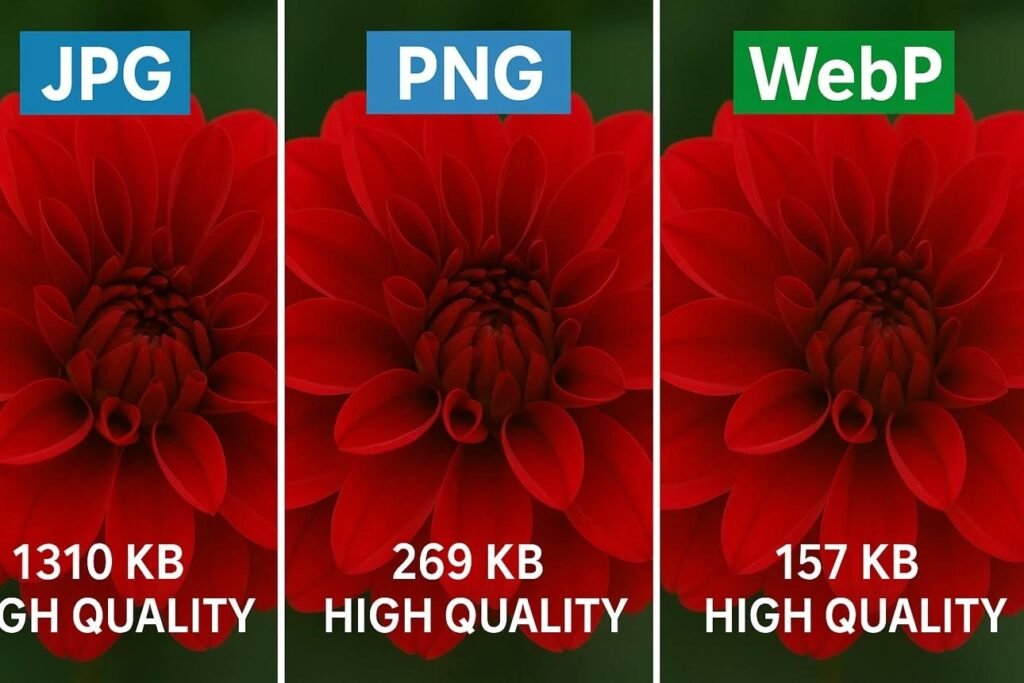
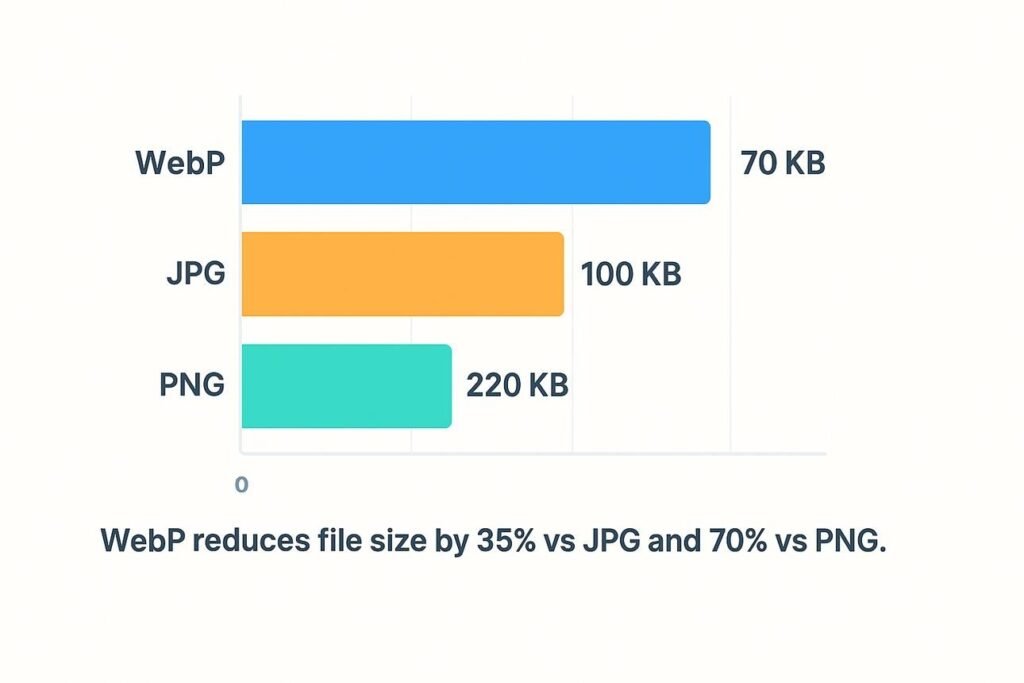
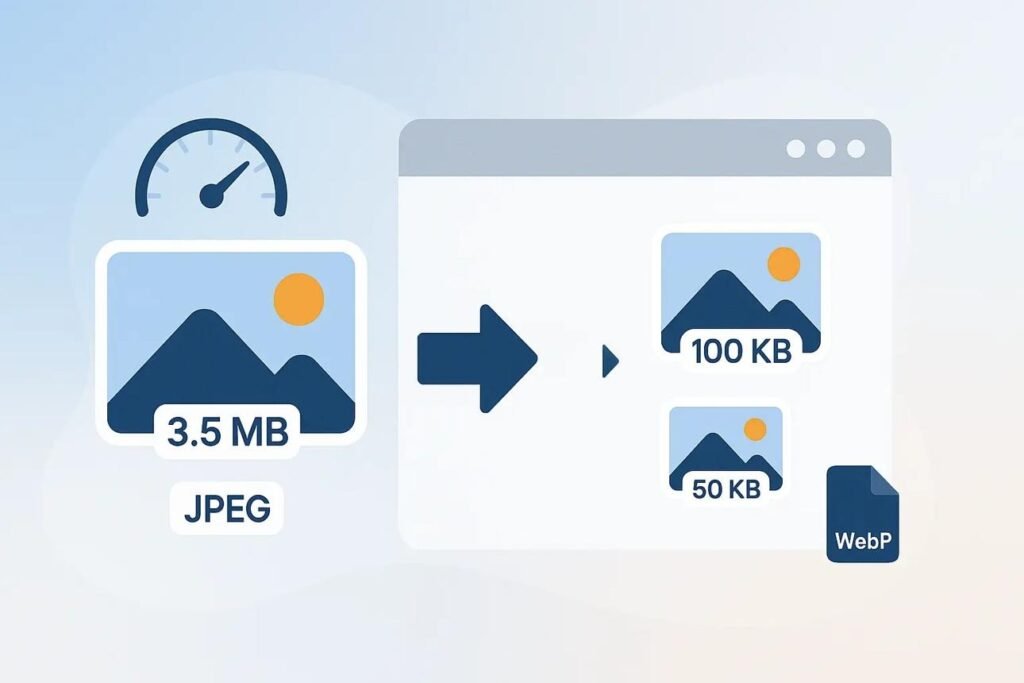
WebP is a modern image format developed by Google and is widely considered the best format for websites.
Key Features:
- Smaller file size (25–70% smaller than JPG/PNG)
- Supports transparency
- Supports both lossy and lossless compression
- High-quality images
Why WebP Is Best:
- Faster loading speed
- Better SEO performance
- Reduced bandwidth usage
- Ideal for modern websites
JPG (JPEG) – Best for Photographs
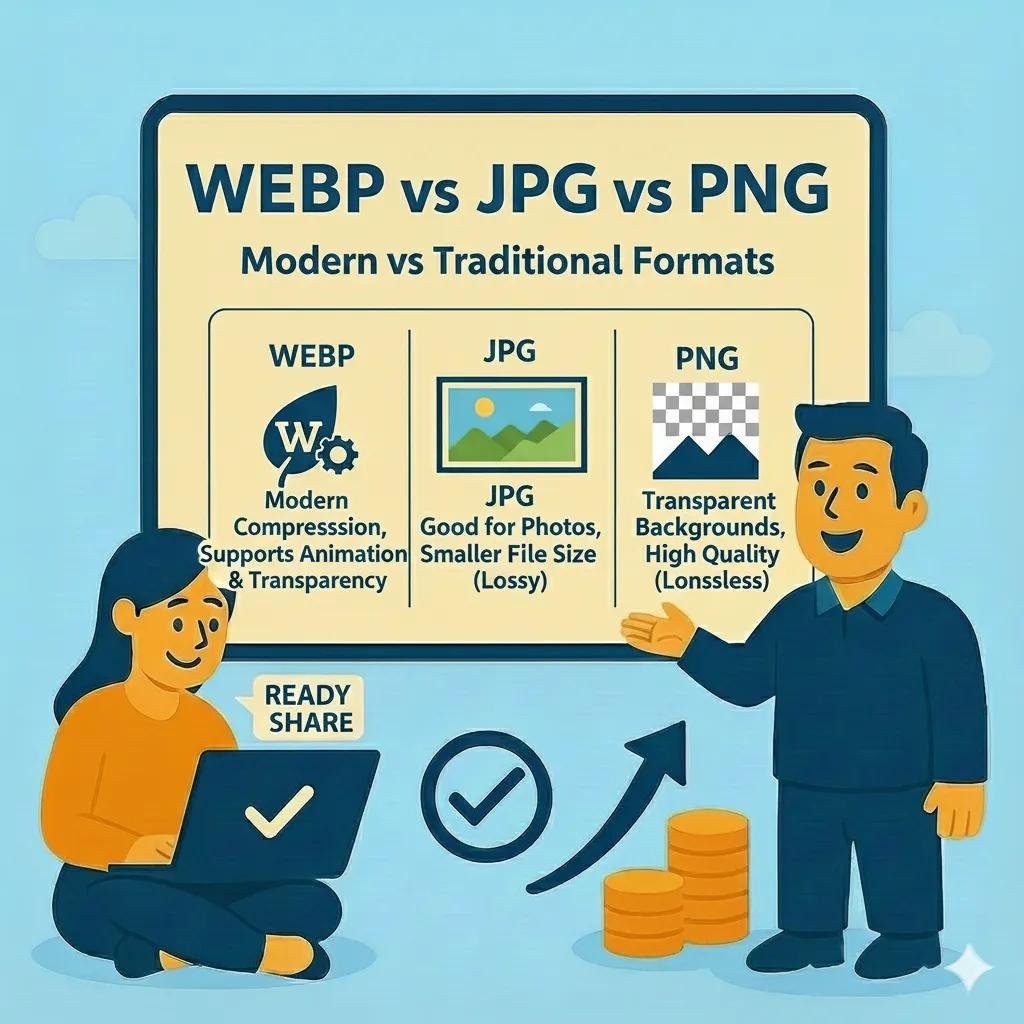
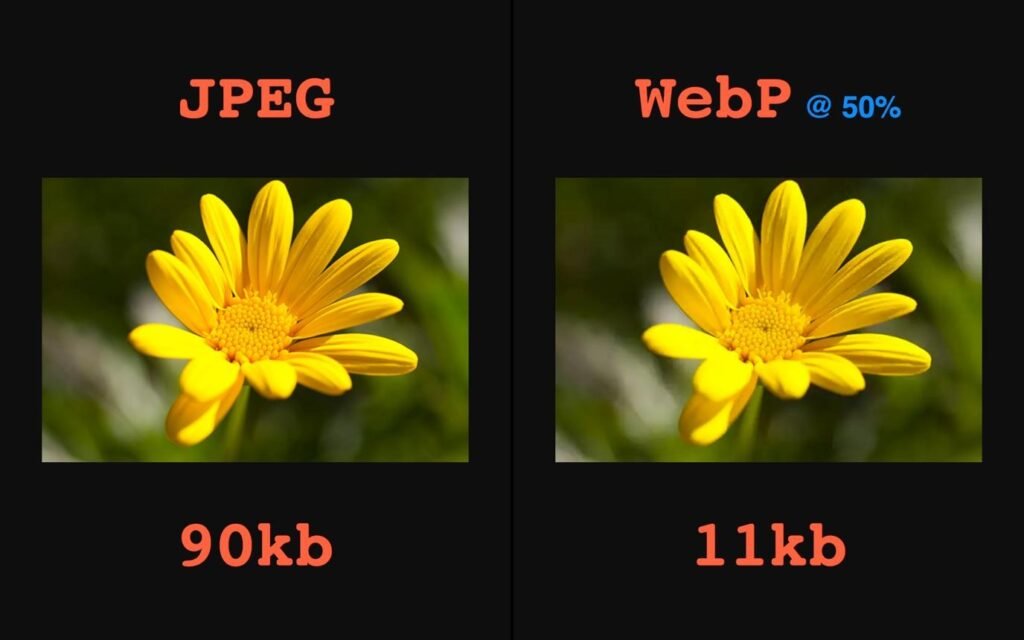
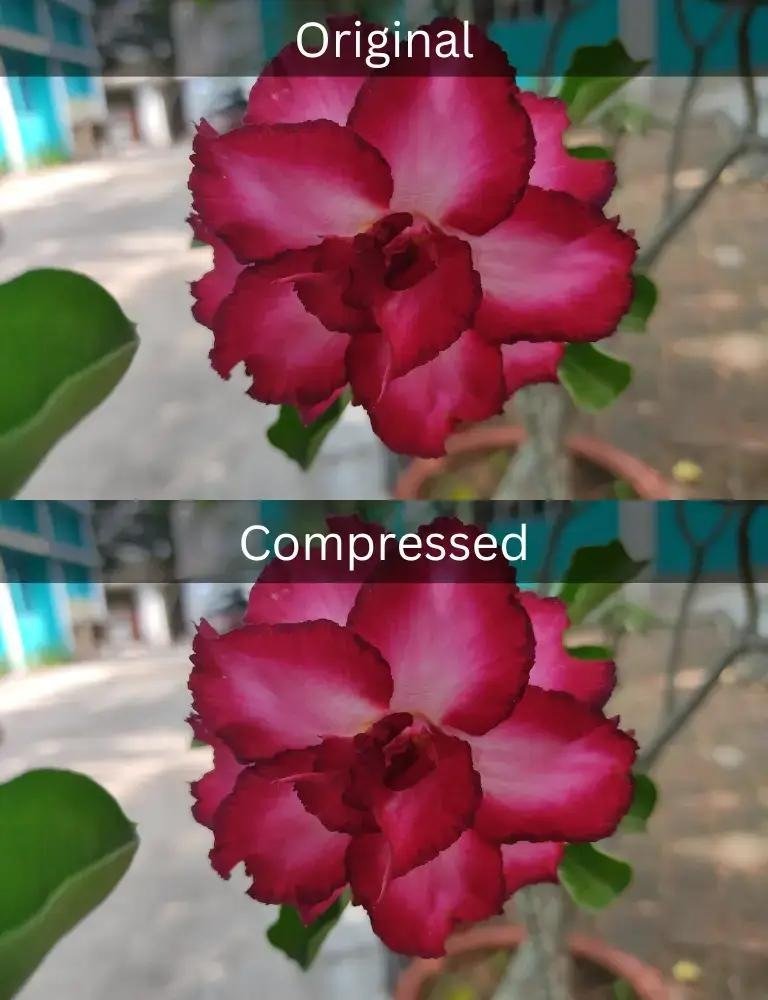
JPG is one of the most widely used formats, especially for photos.
Key Features:
- Lossy compression
- Smaller file size than PNG
- Supports millions of colors
- No transparency
Best Use Cases:
- Blog images
- Photography
- Social media
PNG – Best for Graphics & Transparency
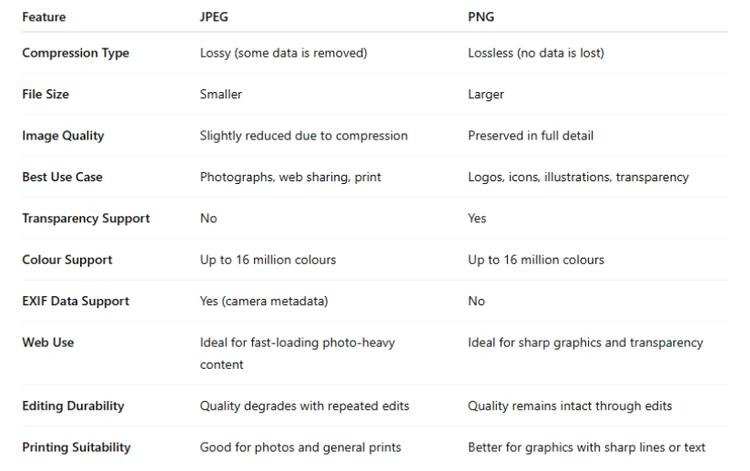
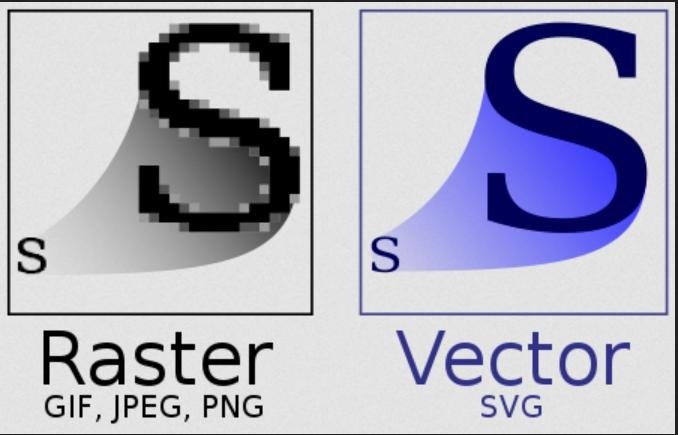

PNG is ideal for images that require high quality and transparency.
Key Features:
- Lossless compression
- Supports transparency
- High quality
- Larger file size
Best Use Cases:
- Logos
- Icons
- UI elements
- Graphics with text
WebP vs JPG vs PNG – Comparison Table
| Feature | WebP | JPG | PNG |
| File Size | Smallest | Small | Large |
| Quality | High | Medium-High | Very High |
| Transparency | Yes | No | Yes |
| SEO Impact | Excellent | Good | Moderate |
| Best Use | Websites | Photos | Graphics |
Which Image Format Is Best for SEO?
WebP Wins for SEO
Here’s why:
Faster Page Load Speed
Smaller files load faster.
Better Core Web Vitals
Improves LCP (Largest Contentful Paint).
Lower Bounce Rate
Users stay longer.
Mobile Optimization
Loads faster on mobile devices.
When to Use Each Format
Use WebP When:
- You want fastest loading speed
- You need best SEO performance
- You’re optimizing website images
Use JPG When:
- You’re uploading photos
- Compatibility is required
- File size needs to be small
Use PNG When:
- You need transparency
- Image quality is critical
- You’re using logos or graphics
Best Image Format for Different Website Types
Blogging Websites
- WebP (recommended)
- JPG (alternative)
eCommerce Websites
- WebP for product images
- PNG for logos
Portfolio Websites
- WebP for performance
- JPG for high-quality photos
Corporate Websites
- WebP for all images
- PNG for branding
Common Mistakes to Avoid
- Using PNG for large photos
- Uploading uncompressed images
- Ignoring image optimization
- Not converting to WebP
Best Practices for Image Optimization
- Convert images to WebP
- Compress images before uploading
- Resize images properly
- Use lazy loading
- Use CDN for faster delivery
Image Format vs Image Size
Even the best format won’t help if the image is too large.
Always:
- Resize images
- Compress files
- Use proper resolution
Tools to Optimize Images
You can use:
- FreeToolConvert Image Compressor
- JPG to WebP Converter
- PNG to WebP Converter
- Image Resizer
Future of Image Formats
The future includes:
- WebP dominance
- AVIF format (next-gen)
- AI-based image optimization
Conclusion
Choosing the best image format is essential for website performance, SEO, and user experience.
- WebP – Best overall (recommended)
- JPG – Best for photos
- PNG – Best for graphics
If you want a faster website, better SEO, and improved user experience — WebP is the best image format for websites.
Frequently Asked Questions
Which image format is best for websites?
WebP is the best overall format.
Is WebP better than JPG?
Yes, it offers better compression and quality.
When should I use PNG?
For transparency and high-quality graphics.
Does image format affect SEO?
Yes, it impacts page speed and rankings.
Can I convert JPG to WebP?
Yes, using online tools.
What is the smallest image format?
WebP provides the smallest file size.
Optimize Your Website Images Today
Want faster loading and better SEO?
Convert images to WebP
Compress images instantly
Improve page speed
Boost search rankings
Start using free image optimization tools today and make your website faster, lighter, and more powerful!