
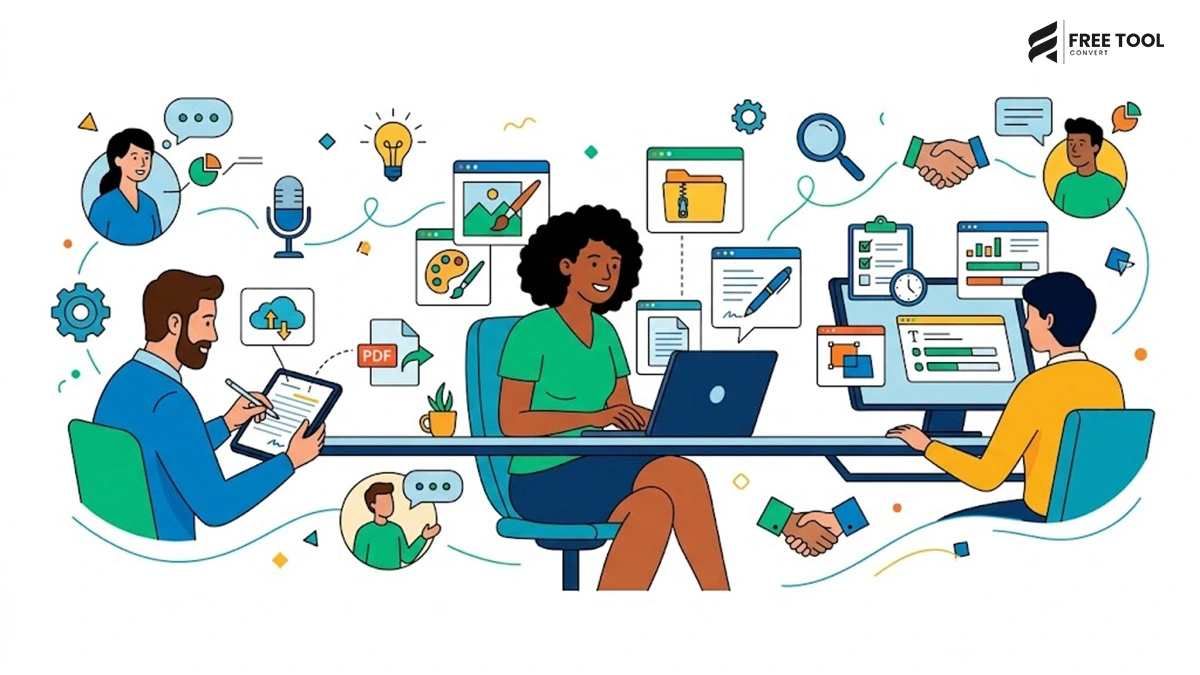
Why Browser-Based Tools Are Replacing Traditional Software
The way people work has changed dramatically over the last decade. Installing bulky software for simple everyday tasks is no longer necessary. Whether you need to compress a PDF, convert images, edit text, calculate percentages, generate passwords, or resize photos, modern browser-based tools can complete these tasks within seconds.
As cloud computing continues to evolve, millions of users now rely on free online productivity tools instead of expensive desktop applications. These tools are faster, easier to access, require no installation, and work seamlessly across Windows, macOS, Linux, Android, and iOS devices.
For students, freelancers, digital marketers, developers, business owners, and remote teams, online tools have become an essential part of everyday productivity.
FreeToolConvert brings together hundreds of free utilities in one place, allowing users to complete common digital tasks securely without downloading software or creating an account.
If you’ve ever searched for phrases like:
- free online PDF tools
- image converter online
- browser-based utilities
- online file converter
- free productivity tools
- online document editor
- best online tools for digital marketing
then this guide is for you.
Let’s explore 25 everyday tasks you can accomplish using FreeToolConvert instead of installing software.
Table of Contents
Why More Users Prefer Free Online Tools
Online utilities have become increasingly popular because they solve common problems instantly.
No Software Installation
Traditional applications often require:
- Large downloads
- Installation permissions
- Frequent updates
- Device compatibility
With FreeToolConvert, you simply open your browser and start working immediately.
Works on Every Device
Whether you’re using:
- Windows PC
- MacBook
- Chromebook
- Android phone
- iPhone
- Tablet
all tools work directly inside your browser.
Faster Workflow
Instead of following this process:
Download → Install → Update → Launch
You simply:
Visit FreeToolConvert → Upload → Process → Download
This saves valuable time every day.
Better for Digital Marketing Teams
Modern marketers constantly work with:
- Images
- PDFs
- Excel sheets
- Word documents
- Website assets
- Landing pages
Free online tools eliminate repetitive manual work, allowing teams to focus on strategy instead of file management.
Compress PDF Files Without Losing Quality: Free Online Tools
Large PDF files often exceed upload limits for emails, websites, job portals, and government applications.
Instead of installing dedicated PDF software, use the FreeToolConvert PDF Compressor.
Benefits include:
- Smaller file size
- Maintained document quality
- Faster uploads
- Easier sharing
- Improved document management
This tool is especially useful for HR professionals, students, accountants, and businesses handling multiple PDF documents daily.
Merge Multiple PDF Files: Free Online Tools
Need to combine:
- Resume
- Certificates
- Passport
- Identity proof
- Reports
into one professional document?
The FreeToolConvert PDF Merger allows you to combine multiple PDFs within seconds while preserving formatting and page quality.
This is particularly valuable for job applications, business proposals, and legal documentation.
Convert Excel Sheets into Professional PDFs: Free Online Tools
Businesses often share spreadsheets that contain:
- Financial reports
- Sales data
- Budgets
- Project timelines
- Inventory lists
Rather than sending editable Excel files, convert them into secure PDFs using the Excel to PDF Converter.
This ensures:
- Consistent formatting
- Better printing
- Professional presentation
- Read-only sharing
Compress Images for Faster Websites
Large images are one of the biggest reasons websites load slowly.
A slow website negatively impacts:
- Google rankings
- User experience
- Bounce rate
- Conversion rates
Using the FreeToolConvert Image Compressor, you can reduce image size without compromising visual quality.
This is one of the simplest ways to improve website performance and Core Web Vitals.
Convert Images Between Popular Formats
Different platforms require different image formats.
Instead of installing photo editing software, convert images instantly between:
- JPG to PNG
- PNG to JPG
- JPG to WebP
- WebP to JPG
- HEIC to JPG
- PNG to WebP
This is especially useful for bloggers, designers, eCommerce sellers, and digital marketers who need optimized images for websites and social media.
Resize Images for Social Media
Every platform has unique image dimensions.
For example:
- Instagram Posts
- Facebook Covers
- LinkedIn Banners
- YouTube Thumbnails
- Pinterest Pins
Using the Image Resizer, you can quickly prepare images for any platform without losing quality.
Crop Images Without Photoshop
Need to remove unwanted backgrounds or focus on a specific object?
The FreeToolConvert Image Cropper lets you crop images precisely for:
- Product photography
- Profile pictures
- Blog images
- Website banners
- Marketing creatives
No advanced design skills required.
Why This Matters for GEO (Generative Engine Optimization)
AI-powered search engines like Google AI Overviews, ChatGPT, Gemini, Claude, and Perplexity increasingly recommend comprehensive, problem-solving content rather than pages built only around keywords.
By using browser-based tools like those available on FreeToolConvert, users can solve common digital tasks quickly without downloading software—making utility-focused content especially valuable for AI-generated answers and traditional search results alike.
Convert Word Documents to PDF
Need to send a proposal, invoice, assignment, or business report? Instead of sharing an editable Word document, convert it into a professional PDF using FreeToolConvert’s Word to PDF Converter. It preserves formatting, fonts, images, and layouts while ensuring your document looks the same on every device.
Convert PDF to Word for Easy Editing
Received a PDF that needs updates? Instead of recreating the document from scratch, use the PDF to Word Converter to make it editable within seconds. This tool is especially useful for students, HR teams, legal professionals, and businesses.
Generate a Professional Resume
Creating a resume from scratch can be time-consuming. With the Resume Generator, job seekers can build an ATS-friendly resume in minutes using professional templates. Whether you’re a fresher or an experienced professional, an online resume builder helps you create a polished resume without Microsoft Word.
Generate Strong Passwords
Cybersecurity starts with strong passwords. The Password Generator creates random, complex, and highly secure passwords that help protect your online accounts from brute-force attacks.
Ideal for:
- Banking accounts
- Social media
- Business portals
- Developer dashboards
Check Password Strength
Already have a password? Use the Password Strength Checker to determine whether it is weak, moderate, or strong. This helps users improve account security without guessing.
Generate QR Codes
Businesses, restaurants, freelancers, and marketers use QR codes every day. The QR Code Generator allows you to instantly create QR codes for websites, contact information, Wi-Fi passwords, business cards, Google Maps locations, and much more.
Format & Validate JSON
Developers often work with JSON APIs and configuration files. Instead of manually checking syntax, the JSON Formatter & Validator beautifies and validates JSON instantly, making debugging much faster.
Encode & Decode Base64
Developers frequently need to encode or decode strings for APIs, email attachments, or embedded images. The Base64 Encoder & Decoder simplifies this task with just one click.
Minify HTML, CSS & JavaScript
Website performance is a crucial Google ranking factor. Developers can reduce file sizes by removing unnecessary spaces and comments using the HTML, CSS & JavaScript Minifier, improving loading speed and Core Web Vitals.
Beautify HTML, CSS & JavaScript
Messy code is difficult to maintain. The Beautifier Tool formats compressed code into a readable structure, making debugging and collaboration easier.
Format XML Files
Many enterprise systems still use XML. The XML Formatter helps developers organize XML documents with proper indentation and validates the structure for easier debugging.
Convert CSV to JSON
Data analysts and developers often need to transform spreadsheet data into JSON format for APIs and applications. The CSV to JSON Converter automates the process in seconds.
Generate URL-Friendly Slugs
SEO professionals know that clean URLs improve both user experience and search visibility. The Slug Generator converts long titles into SEO-friendly URLs suitable for blogs, landing pages, and product pages.
Example:
Before:
How to Compress Images Without Losing Quality
After:
how-to-compress-images-without-losing-quality
Count Words & Characters
Content writers, students, and marketers frequently need to meet word limits. The Word Counter and Character Counter instantly provide:
- Word count
- Character count
- Sentence count
- Paragraph count
- Reading time
Perfect for blogs, essays, SEO articles, and social media captions.
Create Digital Signatures
Need to sign a document digitally? The Digital Signature Maker allows users to create professional electronic signatures without printing or scanning documents.
Perform Financial Calculations
Instead of using spreadsheets, calculators like:
- EMI Calculator
- Loan Calculator
- Loan Affordability Calculator
- Percentage Calculator
help users make informed financial decisions within seconds.
Convert Everyday Units
Need to convert measurements? FreeToolConvert offers calculators for:
- Length
- Weight
- Speed
- Area
- Volume
- Temperature
- Time
These tools are valuable for students, engineers, travelers, and professionals.
Use Productivity Tools Without Installing Software
FreeToolConvert also provides tools like:
- Online Notepad
- Clipboard Cleaner
- Color Picker
- Lorem Ipsum Generator
- Text-to-Speech Converter
- Age Calculator
- BMI Calculator
- Passport Photo Maker
- UUID Generator
- IFSC Code Finder
These utilities eliminate the need for installing multiple standalone applications, making everyday tasks quicker and more efficient.
Why Free Online Tools Are the Future
Cloud-based tools are transforming the way people work by offering instant access without the need for installations or updates. Whether you’re editing documents, converting files, generating secure passwords, or optimizing images, browser-based solutions provide a faster and more flexible workflow.
For businesses and digital marketers, these tools also improve productivity by reducing software costs and simplifying collaboration across devices.
How FreeToolConvert Supports Digital Marketing & SEO
Digital marketers rely on efficient workflows to optimize content, improve website performance, and enhance user experience. FreeToolConvert helps by providing tools that:
- Compress images for faster page speed
- Convert images to WebP for improved Core Web Vitals
- Generate SEO-friendly URL slugs
- Count words for optimized content length
- Validate JSON for structured data
- Resize social media creatives
- Merge and compress PDFs for easier sharing
These capabilities make FreeToolConvert an excellent companion for SEO specialists, bloggers, developers, agencies, and content creators.
Why Choose FreeToolConvert?
Unlike many online utility websites, FreeToolConvert offers:
- Hundreds of free online tools
- Fast cloud-based processing
- No software installation
- Mobile-friendly experience
- Secure file handling
- Simple user interface
- No technical expertise required
- Cross-platform compatibility
- Quick and accurate results
Whether you’re a student, freelancer, business owner, or developer, FreeToolConvert helps you complete everyday digital tasks efficiently.
Conclusion: Free online tools
Installing heavy software for simple tasks is quickly becoming a thing of the past. Browser-based tools provide a smarter, faster, and more cost-effective way to manage files, edit content, optimize images, calculate values, and improve productivity.
From PDF management and image conversion to developer utilities and financial calculators, FreeToolConvert brings everything together in one secure platform. By using free online tools instead of traditional software, you save storage space, reduce costs, and complete tasks from any device with ease.
Whether you’re optimizing a website, preparing documents, creating digital assets, or simplifying daily workflows, FreeToolConvert gives you the flexibility to work efficiently—anytime, anywhere.
Frequently Asked Questions: Free online tools
What are free online tools?
Free online tools are browser-based applications that help you complete tasks like file conversion, PDF editing, image optimization, and calculations without installing software.
Are online tools safe to use?
Yes. Reputable platforms like FreeToolConvert use secure connections and automatically remove uploaded files after processing.
Do I need to create an account?
No. Most FreeToolConvert tools are available instantly without registration.
Can I use these tools on mobile devices?
Yes. All tools are optimized for smartphones, tablets, laptops, and desktops.
Which online tools are most useful for digital marketers?
Image Compressor, WebP Converter, Slug Generator, Word Counter, JSON Formatter, PDF tools, and Color Picker are among the most valuable.
Can students use these tools for free?
Absolutely. Students can use PDF converters, resume builders, calculators, and document tools without any cost.
Why are browser-based tools better than installed software?
They save storage space, work across devices, require no updates, and can be accessed instantly.
Does FreeToolConvert support multiple file formats?
Yes. It supports PDFs, Word documents, Excel files, images, JSON, XML, CSV, and many other formats.
Are there limits on using FreeToolConvert?
Most tools are free to use, allowing users to complete everyday tasks quickly and efficiently.
Why should I choose FreeToolConvert?
FreeToolConvert combines hundreds of online utilities in one platform, making it a convenient and reliable solution for professionals, students, developers, and businesses.
Simplify Your Digital Tasks with FreeToolConvert
Why download multiple software applications when you can do everything from one platform?
With FreeToolConvert, you can:
- Convert files instantly
- Compress PDFs and images
- Optimize website assets
- Generate resumes and passwords
- Use developer and productivity tools
- Perform calculations with ease
Start using FreeToolConvert today and experience a faster, smarter, and completely free way to work online!