
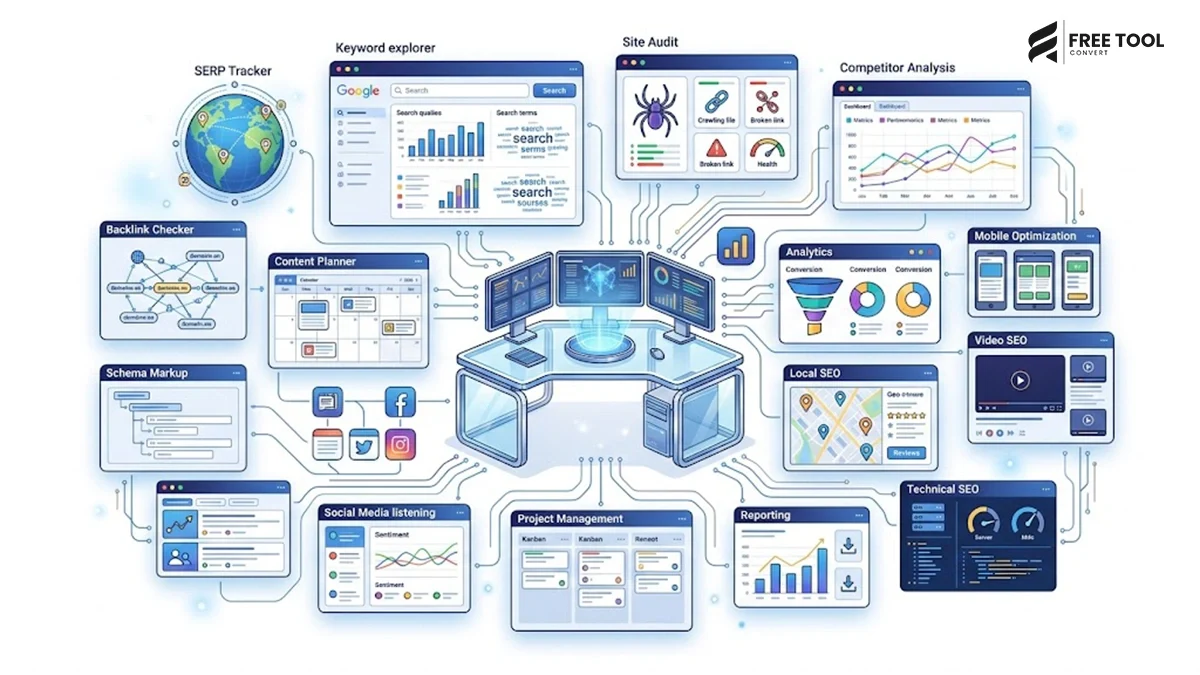
Introduction
Search Engine Optimization (SEO) has evolved significantly over the last few years. Ranking on Google is no longer just about inserting keywords into content. Today’s SEO professionals must focus on user experience, website performance, technical optimization, structured data, content quality, Core Web Vitals, and AI-powered search engines like Google AI Overviews, ChatGPT, Gemini, Claude, and Perplexity.
As digital marketing becomes more competitive, marketers need tools that save time, improve productivity, and help optimize every aspect of a website. From compressing images and formatting JSON to generating SEO-friendly URLs and optimizing PDF documents, the right digital marketing tools can dramatically improve workflow and campaign performance.
This is where FreeToolConvert becomes an invaluable resource. Instead of downloading multiple software applications, SEO professionals can access hundreds of browser-based tools from one platform, making everyday tasks faster and more efficient.
In this guide, we’ll explore 15 essential digital marketing tools every SEO professional should bookmark to streamline workflows, enhance website performance, and achieve better search engine rankings.
Table of Contents
Why Every SEO Professional Needs the Right Tools
SEO involves much more than keyword research. A typical day for an SEO specialist includes:
- Optimizing website speed
- Compressing images
- Creating content
- Monitoring rankings
- Improving Core Web Vitals
- Editing metadata
- Managing PDFs
- Generating reports
- Validating structured data
- Collaborating with developers
Without the right tools, these tasks become repetitive and time-consuming. Browser-based platforms like FreeToolConvert eliminate unnecessary software installations and provide instant access to the utilities needed for day-to-day digital marketing operations.
Google Search Console – Monitor Your Website’s SEO Performance
Every SEO professional should start with Google Search Console. It provides valuable insights into how Google views your website and helps identify technical issues affecting search visibility.
With Google Search Console, you can:
- Monitor keyword rankings
- Track impressions and clicks
- Submit XML sitemaps
- Fix indexing errors
- Analyze Core Web Vitals
- Improve mobile usability
Combining Google Search Console with optimization tools from FreeToolConvert creates a powerful SEO workflow.
Google Analytics 4 – Understand User Behaviour
SEO isn’t only about driving traffic—it’s about attracting the right visitors. Google Analytics 4 helps marketers understand how users interact with their websites.
Key insights include:
- Organic traffic sources
- Visitor demographics
- User engagement
- Conversion tracking
- Bounce rate analysis
- Session duration
When combined with website optimization tools like image compressors and PDF converters, marketers can continuously improve user experience.
FreeToolConvert Image Compressor – Improve Website Speed
Website speed is one of Google’s most important ranking factors.
Large image files often slow websites considerably, negatively impacting:
- Core Web Vitals
- Mobile performance
- User experience
- Search rankings
The FreeToolConvert Image Compressor helps reduce image size without noticeable quality loss.
Benefits include:
- Faster loading pages
- Lower bandwidth usage
- Better SEO performance
- Improved Google PageSpeed scores
Whether you run an eCommerce store, blog, or corporate website, compressing every image before uploading is considered an SEO best practice.
JPG to WebP Converter – Modern Image Optimization
Google recommends modern image formats like WebP because they offer excellent quality with significantly smaller file sizes.
The FreeToolConvert JPG to WebP Converter enables marketers to convert traditional image formats into WebP within seconds.
Advantages include:
- Faster websites
- Better Core Web Vitals
- Improved mobile loading speed
- Lower server storage
For websites with hundreds of product images or blog visuals, WebP can make a noticeable difference in loading performance.
Word Counter – Create SEO-Friendly Content
Quality content remains the foundation of successful SEO.
However, SEO writers must also ensure content meets:
- Word count requirements
- Meta description limits
- Title length recommendations
- Readability standards
The FreeToolConvert Word Counter instantly provides:
- Total word count
- Character count
- Sentence count
- Paragraph count
- Estimated reading time
Whether you’re writing a 2,000-word blog, product descriptions, or landing pages, this tool helps maintain content quality and consistency.
Slug Generator – Create SEO-Friendly URLs
A clean, descriptive URL helps both users and search engines understand the content of a page.
Instead of manually editing URLs, use the FreeToolConvert Slug Generator.
Example:
Incorrect URL
website.com/page?id=54879
SEO-Friendly URL
website.com/essential-digital-marketing-tools
Benefits include:
- Better readability
- Improved click-through rates
- Enhanced crawling
- Cleaner website architecture
Small improvements like optimized slugs contribute to stronger overall SEO performance.
JSON Formatter & Validator – Improve Technical SEO
Structured data is increasingly important for earning rich results in Google Search.
Developers and SEO professionals regularly work with JSON-LD schema markup.
The FreeToolConvert JSON Formatter & Validator allows users to:
- Beautify JSON
- Validate syntax
- Detect formatting errors
- Improve code readability
This tool is especially useful when implementing:
- FAQ Schema
- Article Schema
- Product Schema
- Organization Schema
- Breadcrumb Schema
Clean JSON reduces errors and makes technical SEO implementation much easier.
Why Browser-Based Tools Are Better Than Traditional Software
| Traditional Software | FreeToolConvert Online Tools |
| Requires installation | No installation required |
| Needs regular updates | Always up to date |
| Consumes storage space | Browser-based |
| Often expensive | Free to use |
| Device dependent | Accessible from any device |
| Complex setup | Instant access |
For modern digital marketers who work across multiple devices and collaborate remotely, browser-based tools provide unmatched convenience.
FreeToolConvert PDF Tools – Manage Documents Efficiently
Digital marketers handle dozens of PDF documents every week, from SEO audits and client reports to proposals, contracts, invoices, presentations, and content calendars. Installing separate PDF software for every task is unnecessary when you can access browser-based PDF utilities through FreeToolConvert.
Some of the most useful PDF tools include:
- PDF Compressor
- Merge PDF
- Split PDF
- Word to PDF
- PDF to Word
- Excel to PDF
- JPG to PDF
- Image to PDF
These tools simplify document management while maintaining formatting and quality. Agencies and freelancers can prepare professional reports quickly without purchasing expensive software.
Why SEO professionals use PDF tools:
- Share SEO reports with clients
- Compress large audit files
- Merge multiple reports into one document
- Convert editable documents into secure PDFs
- Improve document organization
HTML, CSS & JavaScript Minifier – Improve Website Speed
Website speed is one of Google’s confirmed ranking factors. Every unnecessary character inside your HTML, CSS, or JavaScript files increases loading time.
The FreeToolConvert HTML, CSS & JavaScript Minifier removes:
- Extra spaces
- Line breaks
- Comments
- Unused formatting
This significantly reduces file sizes without affecting functionality.
Benefits
- Faster page loading
- Better Core Web Vitals
- Improved PageSpeed Insights scores
- Better user experience
- Higher SEO performance
For technical SEO professionals, this tool is indispensable.
XML Formatter – Simplify Technical SEO
XML files are essential for:
- XML Sitemaps
- Product feeds
- API responses
- Data exchange
Poorly formatted XML makes debugging extremely difficult.
The FreeToolConvert XML Formatter organizes XML files into a clean, readable structure, helping developers and SEO specialists identify issues quickly.
This saves valuable development time while ensuring your XML remains error-free.
Password Generator & Password Checker: Essential Digital Marketing Tools Every SEO Professional
Every digital marketer manages multiple accounts:
- Google Ads
- Google Search Console
- GA4
- Meta Business Suite
- WordPress
- SEMrush
- Ahrefs
Weak passwords can expose client accounts to security risks.
The FreeToolConvert Password Generator creates highly secure passwords, while the Password Strength Checker evaluates existing passwords and suggests improvements.
Good cybersecurity is just as important as good SEO.
Color Picker Tool – Build Consistent Branding: CSS & JavaScript Minifier
Digital marketing isn’t only about rankings—it also involves design and branding.
The FreeToolConvert Color Picker helps marketers:
- Identify HEX codes
- Copy RGB values
- Match brand colors
- Maintain design consistency
Whether you’re creating landing pages, social media creatives, banners, or advertisements, consistent branding strengthens user trust and improves conversions.
Online Notepad – Capture Ideas Instantly
SEO professionals constantly brainstorm:
- Blog topics
- Keyword ideas
- Content outlines
- Meta descriptions
- Campaign notes
- Meeting summaries
The FreeToolConvert Online Notepad provides a distraction-free workspace where ideas can be captured instantly without opening heavy applications.
Sometimes the simplest tools become the most productive.
CSV to JSON Converter – Essential Digital Marketing Tools Every SEO Professional
Modern SEO campaigns involve enormous amounts of data.
Digital marketers frequently work with:
- CRM exports
- Lead databases
- Product catalogs
- Email lists
- Analytics reports
The CSV to JSON Converter quickly transforms spreadsheet data into JSON format for APIs, automation platforms, and web applications.
Instead of manually converting hundreds of rows, marketers can automate the process within seconds.
Base64 Encoder & Decoder – Helpful for Developers & Technical Marketers
Technical SEO often overlaps with web development.
The Base64 Encoder & Decoder is useful for:
- Email templates
- API authentication
- Embedded images
- Tracking pixels
- Web development
While casual users may rarely need it, developers and technical SEO specialists use Base64 regularly during website optimization and integrations.
Why Browser-Based Productivity Tools Are Becoming Essential
Today’s marketers no longer want to install separate software for every small task.
Instead, they prefer platforms like FreeToolConvert because they offer:
- One platform for hundreds of tools
- No downloads
- Instant access
- Secure cloud processing
- Mobile compatibility
- Cross-platform support
- Faster workflow
- Lower software costs
Whether you’re working from an office, home, or while traveling, browser-based tools ensure uninterrupted productivity.
How These Tools Help Improve SEO Performance: Password Generator & Password Checker
Using the right tools isn’t just about convenience—it directly impacts your SEO efforts.
With FreeToolConvert, you can:
- Compress images for better Core Web Vitals
- Convert images into WebP for faster page loads
- Generate SEO-friendly slugs
- Optimize document sharing with PDF tools
- Validate JSON for structured data
- Minify website code
- Maintain clean XML sitemaps
- Improve content quality using Word Counter
Together, these improvements enhance:
- Website speed
- User experience
- Crawlability
- Search rankings
- Organic traffic
- Conversion rates
Why Choose FreeToolConvert?
Unlike websites that specialize in only one category of tools, FreeToolConvert brings together everything a digital marketer needs in one place.
Features include:
- Hundreds of free online tools
- Image optimization utilities
- PDF management tools
- Developer utilities
- Financial calculators
- Productivity tools
- Resume builder
- Browser-based access
- Mobile-friendly interface
- Secure cloud processing
- No software installation
- Fast performance
Whether you’re an SEO specialist, blogger, content writer, freelancer, developer, or business owner, FreeToolConvert helps you complete everyday digital tasks efficiently.
Future of SEO: AI + Productivity Tools
The future of SEO is shifting toward Generative Engine Optimization (GEO), where AI-powered platforms like Google AI Overviews, ChatGPT, Gemini, Claude, and Perplexity prioritize comprehensive, trustworthy, and user-focused content.
Success in this evolving landscape requires not only high-quality content but also optimized assets, fast-loading pages, structured data, and efficient workflows. By combining strategic SEO practices with productivity tools such as image compressors, JSON formatters, PDF utilities, and code optimizers, marketers can build websites that perform well in both traditional search engines and AI-driven search experiences.
Conclusion: CSS & JavaScript Minifier
SEO has become more competitive than ever, and working smarter is just as important as working harder. The right combination of analytics platforms, technical optimization tools, and productivity utilities can dramatically improve efficiency while delivering better results for clients and businesses.
FreeToolConvert simplifies the daily workflow of digital marketers by providing a comprehensive collection of browser-based tools for image optimization, document management, content creation, code formatting, file conversion, and much more—all from a single platform.
Instead of switching between multiple applications or paying for expensive software, you can complete everyday SEO tasks quickly, securely, and completely free.
Whether you’re optimizing a blog, managing an eCommerce website, running SEO campaigns, or building digital marketing strategies, bookmarking these essential tools will save time and help you stay ahead in an increasingly competitive online landscape.
Frequently Asked Questions: XML Formatter
Which digital marketing tools are most useful for SEO professionals?
Google Search Console, Google Analytics 4, FreeToolConvert Image Compressor, Word Counter, JSON Formatter, PDF tools, and HTML/CSS/JS Minifier are among the most valuable.
Why should SEO professionals use browser-based tools?
Browser-based tools eliminate software installation, work across all devices, and provide instant access to essential utilities.
How does image compression improve SEO?
Compressed images load faster, improve Core Web Vitals, reduce bounce rates, and contribute to better search engine rankings.
Why should I convert images to WebP?
WebP offers smaller file sizes while maintaining image quality, improving website speed and user experience.
What is the purpose of a JSON formatter?
It formats and validates JSON data, making structured data implementation easier and reducing syntax errors.
Are FreeToolConvert tools free to use?
Yes. FreeToolConvert offers a wide range of free online tools for SEO professionals, developers, businesses, and students.
Can I use FreeToolConvert on mobile devices?
Absolutely. The platform is fully responsive and works on smartphones, tablets, laptops, and desktops.
Which FreeToolConvert tools help with technical SEO?
JSON Formatter, XML Formatter, HTML/CSS/JS Minifier, Base64 Encoder & Decoder, and Slug Generator are especially useful for technical SEO.
How do PDF tools benefit digital marketers?
They simplify report creation, document sharing, proposal management, and file optimization without additional software.
Why should every SEO professional bookmark FreeToolConvert?
Because it brings together hundreds of productivity, SEO, PDF, image, developer, and utility tools in one fast, secure, and free platform.
Supercharge Your Digital Marketing Workflow with FreeToolConvert
Stop wasting time switching between dozens of software applications. Whether you’re compressing images, optimizing website assets, formatting JSON, managing PDFs, or improving website performance, FreeToolConvert provides everything you need in one place.
Explore FreeToolConvert today and discover hundreds of free online tools designed to help SEO professionals, digital marketers, developers, students, and businesses work faster, smarter, and more efficiently.