
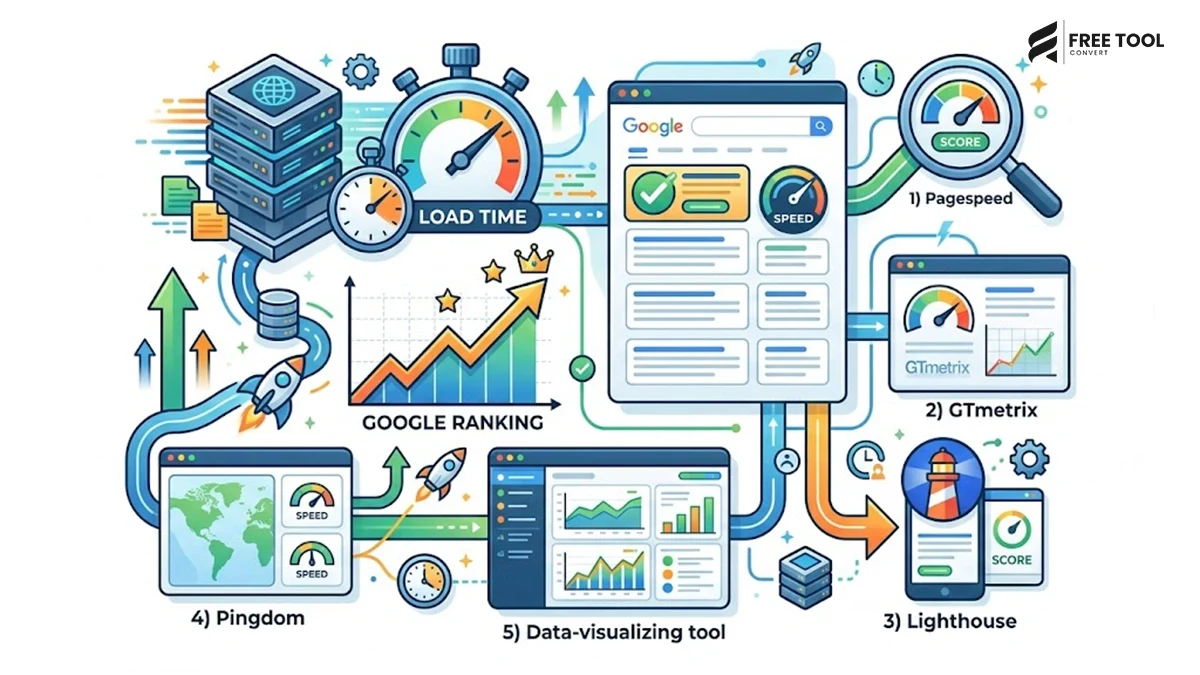
Introduction: How faster websites improve google rankings
How faster websites improve google rankings: Imagine clicking on a website that takes 8–10 seconds to load. Chances are, you’ll leave before the page even appears. You’re not alone. Research consistently shows that users expect websites to load within just a few seconds. Every additional second of delay can lead to lower engagement, fewer conversions, and higher bounce rates.
Google understands this user behavior, which is why website speed has become an important ranking factor. A fast-loading website delivers a better user experience, improves Core Web Vitals, increases crawl efficiency, and encourages visitors to stay longer. These positive signals can contribute to stronger search performance over time.
In today’s AI-driven search landscape, speed matters even more. Platforms like Google AI Overviews, ChatGPT, Gemini, Claude, and Perplexity prioritize content that offers a great user experience. A slow website may struggle to compete, even if it has valuable content.
The good news? You don’t need expensive software or advanced technical skills to improve your website’s speed.
With FreeToolConvert, you can access powerful browser-based tools to optimize images, compress PDFs, minify website code, and improve overall website performance—without downloading any software.
In this guide, you’ll learn why faster websites rank better, how speed impacts SEO and GEO (Generative Engine Optimization), and which free tools can help you build a high-performing website.
Table of Contents
Why Website Speed Matters More Than Ever: How faster websites improve google rankings
Website speed is no longer just a technical metric—it directly affects your business performance.
A faster website helps:
- Improve user experience
- Reduce bounce rates
- Increase conversions
- Improve mobile usability
- Support better search visibility
- Enhance engagement
- Strengthen brand credibility
Whether you’re running a blog, an eCommerce store, a SaaS platform, or a corporate website, speed influences nearly every aspect of your online success.
Is Website Speed Really a Google Ranking Factor?
Yes—but it’s important to understand how.
Google has confirmed that page experience and Core Web Vitals are ranking signals. Website speed alone doesn’t guarantee the #1 position, but a slow website can negatively affect many factors that influence rankings, including:
- User satisfaction
- Mobile performance
- Crawl efficiency
- Engagement metrics
- Page experience
If two websites offer similar content quality, the one with the better user experience—including faster loading—has a stronger chance of performing well in search results.
Understanding Core Web Vitals: How faster websites improve google rankings
Core Web Vitals are performance metrics that measure how users experience your website.
The three key metrics are:
Largest Contentful Paint (LCP)
Measures how quickly the main content loads.
Ideal target: Less than 2.5 seconds.
Interaction to Next Paint (INP)
Measures how responsive your website feels when users interact with it.
Faster responses create a smoother browsing experience.
Cumulative Layout Shift (CLS)
Measures visual stability.
Unexpected layout shifts frustrate visitors and reduce usability.
Improving these metrics can make your website more enjoyable for users while supporting better search performance.
How Slow Websites Hurt SEO: How faster websites improve google rankings
Many website owners focus on creating excellent content but overlook technical performance.
A slow website can lead to:
Higher Bounce Rate
Visitors often leave before the page finishes loading.
Google notices when users quickly return to search results.
Lower Engagement
Users spend less time exploring your content.
Lower engagement can reduce opportunities for conversions and repeat visits.
Reduced Crawl Efficiency
Search engines allocate a crawl budget to each website.
If pages load slowly, crawlers may index fewer pages during each visit.
Poor Mobile Experience
More than half of global web traffic comes from mobile devices.
Heavy pages often perform poorly on slower mobile connections.
Lower Conversion Rates
Website speed affects business results.
Whether you’re selling products, generating leads, or collecting newsletter subscribers, every second matters.
Common Reasons Websites Become Slow: How faster websites improve google rankings
Before fixing performance issues, it’s important to identify the most common causes.
Large Images
Oversized images are one of the biggest contributors to slow websites.
Many websites upload:
- 8 MB product images
- High-resolution banners
- Uncompressed PNG files
These dramatically increase loading time.
Unoptimized Image Formats
Uploading JPG or PNG files when WebP is available increases bandwidth usage unnecessarily.
Modern formats like WebP offer excellent quality while significantly reducing file size.
Excessive CSS and JavaScript
Large CSS and JavaScript files contain:
- Comments
- Extra spaces
- Unused code
- Formatting
These increase download size.
Heavy PDF Downloads: PDF Compressor
Many businesses upload brochures, reports, catalogs, and presentations without compressing them.
Large PDFs slow websites and consume server bandwidth.
Poor File Optimization
Many website owners upload files directly from design software without optimization.
Even simple improvements can reduce file sizes dramatically.
FreeToolConvert: Your All-in-One Website Optimization Partner
Instead of installing multiple desktop applications, FreeToolConvert provides browser-based tools that help improve website performance quickly and easily.
Whether you’re a digital marketer, blogger, developer, or business owner, FreeToolConvert simplifies optimization without requiring technical expertise.
Tool #1 – Image Compressor
Images often account for the largest portion of a webpage’s total size.
The FreeToolConvert Image Compressor helps you:
- Reduce image file size
- Maintain visual quality
- Improve loading speed
- Save storage space
Compressed images contribute to faster page rendering and a smoother user experience, making them an essential part of any SEO strategy.
Tool #2 – JPG to WebP Converter
WebP is one of the most efficient image formats available today.
The FreeToolConvert JPG to WebP Converter allows you to convert traditional image formats into WebP in seconds.
Benefits include:
- Smaller file sizes
- Faster loading pages
- Improved Core Web Vitals
- Better mobile performance
For websites with hundreds of images, switching to WebP can significantly improve performance.
Tool #3 – Image Resizer
Uploading images that are much larger than their display size wastes bandwidth and slows page loading.
The FreeToolConvert Image Resizer lets you resize images to the exact dimensions required for your website.
This helps:
- Reduce unnecessary data
- Improve loading speed
- Optimize images for different devices
Tool #4 – Image Cropper
Instead of uploading oversized graphics with unnecessary empty space, crop images to focus only on the important content.
The Image Cropper helps create cleaner visuals while reducing file size.
Smaller images mean faster websites.
Why Faster Websites Matter for GEO (Generative Engine Optimization)
Generative AI search engines aim to recommend content that delivers the best overall user experience. While content quality remains essential, performance also plays a role in whether users stay engaged after clicking through.
Fast-loading pages help AI-driven search experiences by:
- Reducing friction for users
- Improving accessibility across devices
- Supporting better engagement signals
- Delivering content more efficiently
Optimizing your website with tools like FreeToolConvert helps ensure that your content is not only discoverable but also enjoyable to use.
Tool #5 – HTML, CSS & JavaScript Minifier
Website code plays a major role in determining how quickly a page loads. During development, HTML, CSS, and JavaScript files often contain unnecessary spaces, comments, line breaks, and formatting that increase file size without adding any functionality.
The FreeToolConvert HTML, CSS & JavaScript Minifier removes this unnecessary code and creates lightweight files that browsers can process much faster.
Benefits include:
- Faster website loading
- Better Google PageSpeed Insights scores
- Improved Core Web Vitals
- Reduced bandwidth usage
- Better mobile performance
For developers, agencies, and technical SEO professionals, minifying website code is one of the easiest ways to improve loading speed without changing the design or functionality of a website.
Tool #6 – PDF Compressor
Many business websites provide downloadable resources such as brochures, catalogs, product guides, whitepapers, eBooks, and annual reports. Unfortunately, these PDF files are often uploaded without optimization, making them unnecessarily large.
Large PDF files consume more server bandwidth and create a poor experience for visitors.
Using the FreeToolConvert PDF Compressor, you can:
- Reduce PDF file size
- Preserve document quality
- Improve download speed
- Make files easier to share
Whether you’re running an educational website, an eCommerce business, or a corporate portal, optimized PDFs contribute to a smoother user experience.
Tool #7 – Word Counter
High-quality content is still one of the strongest pillars of SEO. However, writing effective content also requires maintaining an appropriate structure and length.
The FreeToolConvert Word Counter helps content creators monitor:
- Word count
- Character count
- Reading time
- Sentence count
- Paragraph count
This is especially useful for:
- SEO blogs
- Landing pages
- Product descriptions
- Email campaigns
- Meta descriptions
Instead of guessing content length, writers can create well-balanced articles that improve readability and engagement.
Tool #8 – JSON Formatter & Validator
Technical SEO often involves implementing structured data using JSON-LD. Incorrect formatting can prevent search engines from understanding your schema markup properly.
The FreeToolConvert JSON Formatter & Validator helps users:
- Beautify JSON
- Validate syntax
- Detect formatting errors
- Improve code readability
Properly structured data supports rich results such as FAQs, reviews, products, and articles, helping your content stand out in search results.
Tool #9 – Color Picker
Consistent branding contributes to a better user experience. Whether you’re creating banners, landing pages, advertisements, or website graphics, maintaining a consistent color palette strengthens brand identity.
The FreeToolConvert Color Picker Tool enables marketers and designers to:
- Identify HEX codes
- Copy RGB values
- Match brand colors
- Maintain visual consistency
Although color selection doesn’t directly influence rankings, strong branding improves trust and user engagement—both of which contribute to long-term digital success.
A Website Speed Optimization Checklist
Improving website speed doesn’t require expensive software. Follow these practical steps to create a faster, more efficient website.
Optimize Images Before Uploading
Compress images using FreeToolConvert Image Compressor and convert them to WebP whenever possible.
Resize Images Properly
Avoid uploading images that are much larger than their display dimensions.
Compress Downloadable Files
Optimize PDFs before making them available for download.
Minify Website Code
Remove unnecessary formatting from HTML, CSS, and JavaScript files.
Use Modern Image Formats
Switch from JPG and PNG to WebP wherever browser compatibility allows.
Remove Unnecessary Files
Regularly audit your website to identify and remove outdated images, scripts, and documents.
Improve Mobile Performance
Always test your website on mobile devices, where loading speed has the greatest impact on user experience.
Common Website Speed Mistakes That Hurt Rankings
Even well-designed websites can lose valuable traffic because of avoidable performance issues.
Some of the most common mistakes include:
- Uploading uncompressed images
- Using oversized banner graphics
- Ignoring Core Web Vitals
- Not compressing downloadable PDFs
- Using outdated image formats
- Loading unnecessary JavaScript libraries
- Failing to optimize for mobile users
- Uploading media directly from design software without compression
Addressing these issues can significantly improve both user experience and search performance.
How Faster Websites Support GEO (Generative Engine Optimization)
The search landscape is evolving rapidly. Today, users increasingly rely on AI-powered platforms such as Google AI Overviews, ChatGPT, Gemini, Claude, and Perplexity to find quick, reliable answers.
While these systems prioritize high-quality content, they also value websites that provide an excellent user experience.
A faster website contributes to GEO by:
- Delivering information without delays
- Reducing bounce rates
- Encouraging longer engagement
- Improving accessibility across devices
- Enhancing trust and usability
When your content loads quickly and answers user questions effectively, it has a stronger chance of being recommended in AI-driven search experiences.
Why FreeToolConvert Is the Smart Choice for Website Optimization
Instead of using separate applications for every task, FreeToolConvert brings together hundreds of browser-based tools designed to improve productivity and website performance.
With FreeToolConvert, you can:
- Compress images
- Convert JPG to WebP
- Resize and crop images
- Compress and merge PDFs
- Generate SEO-friendly slugs
- Minify HTML, CSS, and JavaScript
- Format JSON and XML
- Count words and characters
- Generate secure passwords
- Access productivity tools from any device
Everything is available online without software installation, making FreeToolConvert an efficient solution for bloggers, developers, agencies, students, businesses, and SEO professionals.
The Future of SEO Is Speed, Experience & AI
Traditional SEO focused heavily on keywords and backlinks. Modern SEO has expanded to include user experience, technical optimization, website performance, and AI discoverability.
As Google and AI-powered search engines continue to evolve, websites that combine valuable content, fast loading times, optimized assets, and seamless user experiences will have a competitive advantage.
Speed is no longer just a technical metric—it’s part of your overall digital marketing strategy.
Conclusion: How faster websites improve google rankings
Website speed is one of the most important factors influencing user satisfaction and overall website performance. While content remains the foundation of successful SEO, slow-loading pages can reduce engagement, increase bounce rates, and create unnecessary friction for visitors.
By optimizing images, compressing PDFs, minifying code, using modern image formats, and following performance best practices, you can build a faster website that provides a better experience for both users and search engines.
FreeToolConvert simplifies this entire process by offering a complete collection of browser-based optimization tools that require no downloads, no complex setup, and no expensive software. Whether you’re a blogger, business owner, developer, or digital marketer, these free tools can help you improve website speed, support stronger SEO performance, and prepare your site for the future of AI-powered search.
Frequently Asked Questions (FAQs)
Does website speed affect Google rankings?
Yes. Website speed contributes to page experience and can influence search performance alongside content quality and other ranking factors.
What are Core Web Vitals?
Core Web Vitals are Google’s performance metrics that measure loading speed, responsiveness, and visual stability.
How can I improve website speed for free?
You can optimize images, compress PDFs, minify HTML/CSS/JavaScript, resize graphics, and use modern image formats with FreeToolConvert.
Why should I convert JPG images to WebP?
WebP provides smaller file sizes while maintaining excellent image quality, helping websites load faster.
Does image compression reduce SEO?
No. Proper image compression improves loading speed while maintaining acceptable visual quality, supporting better user experience.
Why is HTML, CSS, and JavaScript minification important?
Minification reduces unnecessary code, resulting in faster downloads and improved website performance.
Can browser-based optimization tools replace desktop software?
For many everyday optimization tasks, yes. Browser-based tools offer speed, convenience, and accessibility without requiring installation.
Is FreeToolConvert suitable for digital marketers?
Absolutely. It offers image tools, PDF utilities, code optimizers, developer tools, calculators, and productivity solutions from a single platform.
How does website speed help AI-powered search?
Fast websites improve user experience, making them better positioned for visibility in AI-assisted search environments and enhancing overall engagement.
Which FreeToolConvert tools are best for SEO professionals?
The Image Compressor, JPG to WebP Converter, HTML/CSS/JS Minifier, PDF Compressor, JSON Formatter, Word Counter, and Image Resizer are among the most valuable for improving website performance and content optimization.
Speed Up Your Website with FreeToolConvert
A fast website creates a better experience for visitors and supports stronger long-term SEO performance. Instead of relying on multiple software applications, use FreeToolConvert to optimize images, compress PDFs, minify code, format structured data, and streamline your digital workflow—all from one easy-to-use platform.
Start using FreeToolConvert today and build a faster, smarter, and more search-friendly website.