
Introduction
Complete Beginners Guide to File Conversion: In today’s digital world, we work with hundreds of different file types every day. Whether you’re sharing documents, editing images, creating presentations, or uploading files to websites, you’ve probably encountered a situation where a file wasn’t compatible with the platform or software you were using.
Imagine trying to upload an HEIC image to a website that only accepts JPG files or sending a Word document to someone who prefers PDF. These compatibility issues are common, but fortunately, they’re easy to solve through file conversion.
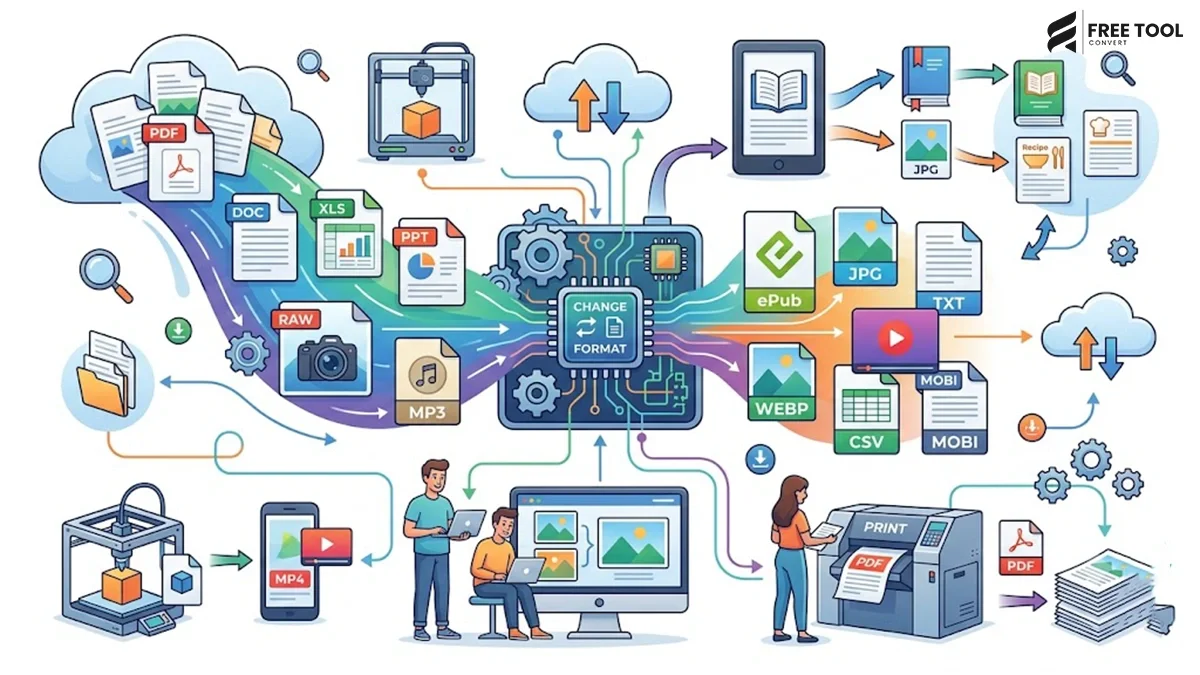
File conversion is the process of changing one file format into another while preserving the content. It allows documents, images, videos, spreadsheets, and other digital files to become compatible with different devices, operating systems, and applications.
With browser-based platforms like FreeToolConvert, converting files has never been easier. Instead of downloading bulky software, users can convert files online in just a few clicks—saving time, storage space, and effort.
This comprehensive guide explains everything beginners need to know about file conversion, including why it’s important, common file formats, popular conversion types, and the best free tools available online.
Table of Contents
What Is File Conversion?
File conversion is the process of transforming a file from one format into another while retaining as much of its original content and quality as possible.
For example:
- Word to PDF
- Excel to PDF
- JPG to PNG
- PNG to WebP
- HEIC to JPG
- CSV to JSON
- Image to PDF
The purpose of conversion is to improve compatibility, usability, sharing, editing, or storage efficiency.
Why Is File Conversion Important?
Modern businesses, students, designers, developers, and digital marketers rely on file conversion every day.
Without it, many files would become difficult—or even impossible—to use across different devices and software.
File conversion helps you:
- Share files easily
- Improve compatibility
- Reduce file size
- Preserve formatting
- Optimize websites
- Improve collaboration
- Support multiple devices
Whether you’re creating a presentation, uploading images to your website, or sending invoices to clients, file conversion makes digital communication seamless.
Different Types of File Formats: Complete Beginners Guide to File Conversion
Understanding file formats helps you choose the right conversion method.
Document Formats
Examples include:
- DOC
- DOCX
- TXT
- RTF
These are commonly used for reports, resumes, contracts, manuals, and business documents.
Image Formats
Popular image formats include:
- JPG
- PNG
- WebP
- HEIC
- GIF
- SVG
Each format offers different advantages depending on quality, transparency, compression, and compatibility.
Spreadsheet Formats
Spreadsheet files include:
- XLS
- XLSX
- CSV
Businesses use these formats for financial reports, inventory management, and data analysis.
Data Formats
Developers frequently work with:
- JSON
- XML
- CSV
These formats are essential for APIs, databases, and web applications.
Why Do People Convert Files?
There are several reasons why file conversion is necessary.
Better Compatibility
Not every application supports every file type.
For example:
- Some websites don’t accept HEIC images.
- Many employers request resumes in PDF.
- Older software may not open modern file formats.
Converting files ensures they work everywhere.
Smaller File Size
Some formats are much more efficient than others.
For example:
A JPG image converted into WebP can often become 30–50% smaller while maintaining excellent quality.
Smaller files:
- Load faster
- Improve website speed
- Save storage
- Upload more quickly
Easier Editing
PDF files are excellent for sharing but difficult to edit.
Converting:
PDF → Word
allows users to modify content without recreating the document.
Professional Presentation
Businesses often convert:
- Word → PDF
- Excel → PDF
- PowerPoint → PDF
to maintain formatting and ensure documents appear identical on every device.
Most Common File Conversions: Complete Beginners Guide to File Conversion
Let’s look at the conversions people use most frequently.
Word to PDF: PDF Converter
One of the most popular conversions.
Benefits include:
- Preserves formatting
- Professional appearance
- Universal compatibility
- Prevents accidental editing
Ideal for:
- Resumes
- Contracts
- Reports
- Assignments
PDF to Word: PDF Converter
Need to edit a PDF?
Converting it into Word allows users to:
- Update text
- Change formatting
- Add content
- Edit tables
This saves hours of manual work.
Excel to PDF: PDF Converter
Businesses often convert spreadsheets into PDFs for:
- Financial reports
- Invoices
- Budgets
- Project documentation
PDFs look professional and maintain formatting.
JPG to PNG
Useful when:
- Transparency is required
- Higher image quality is needed
- Graphic editing is involved
JPG to WebP
Website owners increasingly convert images to WebP because:
- Smaller file sizes
- Faster loading
- Better Core Web Vitals
- Improved SEO
HEIC to JPG
Modern iPhones save images as HEIC.
However, many websites and software applications still require JPG.
Converting HEIC to JPG improves compatibility across devices.
Image to PDF
Students and professionals often convert:
- Scanned documents
- Receipts
- Certificates
- Photographs
into a single PDF for easier sharing.
Why Online File Converters Are Better Than Software: Complete Beginners Guide to File Conversion
In the past, users had to install dedicated applications for every conversion.
Today, browser-based platforms like FreeToolConvert eliminate that need.
Advantages include:
- No installation
- Faster processing
- Mobile compatibility
- Works on Windows, Mac, Android & iPhone
- No software updates
- Easy drag-and-drop interface
- Secure cloud processing
Whether you’re at home, in the office, or traveling, online converters allow you to work from anywhere.
Meet FreeToolConvert – Your All-in-One File Conversion Platform
Instead of using separate software for every task, FreeToolConvert provides hundreds of browser-based tools in one place.
Some of the most popular include:
- PDF Converter
- Word to PDF
- PDF to Word
- Excel to PDF
- Image Compressor
- Image Resizer
- JPG to PNG
- JPG to WebP
- HEIC to JPG
- CSV to JSON
- JSON Formatter
- XML Formatter
Everything works directly in your browser without installation.
How Does File Conversion Work?
Many beginners assume file conversion is simply changing a file’s extension, but the process is much more sophisticated.
A file converter reads the structure and content of the original file, processes the data, and recreates it in a different format while preserving as much of the original information as possible.
For example:
- A Word document can be converted into a PDF while maintaining text, fonts, tables, and images.
- A JPG image can be converted into a WebP image to reduce file size without noticeably affecting quality.
- A CSV file can be transformed into JSON so developers can integrate it into web applications and APIs.
Using browser-based converters like FreeToolConvert, this entire process happens automatically within seconds, making file conversion simple even for beginners.
Lossy vs Lossless File Conversion: Complete Beginners Guide to File Conversion
Not every conversion works the same way. Understanding the difference between lossy and lossless conversion helps you choose the right format.
Lossy Conversion
Lossy conversion removes some data to reduce file size.
Common examples include:
- JPG
- MP3
- WebP (Lossy)
Benefits
- Smaller files
- Faster loading
- Lower storage requirements
- Better website performance
Best For
- Website images
- Social media
- Blogs
- Digital marketing
Lossless Conversion
Lossless conversion preserves every bit of original information.
Examples include:
- PNG
- ZIP
- WebP (Lossless)
Benefits
- Maximum quality
- Better editing
- Accurate reproduction
Best For
- Logos
- Design files
- Documents
- Business reports
Choosing the Right File Format: Complete Beginners Guide to File Conversion
Selecting the correct file format depends on your purpose.
| Task | Recommended Format |
| Professional Documents | |
| Editable Documents | DOCX |
| Website Images | WebP |
| Transparent Graphics | PNG |
| Photographs | JPG |
| Mobile Photos | HEIC |
| Data Exchange | JSON |
| Spreadsheet Data | CSV |
| Structured Data | XML |
Understanding when to use each format improves efficiency while reducing compatibility issues.
Common File Conversion Mistakes to Avoid: Complete Beginners Guide to File Conversion
Even though file conversion is simple, many users make mistakes that reduce quality or create compatibility problems.
Choosing the Wrong Format
Every format serves a different purpose.
For example:
Using PNG for large photographs increases file size unnecessarily.
Using JPG for logos removes transparency.
Always choose the format that best suits your intended use.
Ignoring Image Optimization
Converting images without compressing them still leaves large files.
After conversion, optimize images using FreeToolConvert Image Compressor to improve loading speed.
Converting Multiple Times
Repeatedly converting:
JPG to PNG to JPG to WebP
can gradually reduce image quality.
Whenever possible, convert directly from the original file.
Forgetting Mobile Compatibility
Many users optimize files only for desktop viewing.
Always ensure converted files work properly on:
- Smartphones
- Tablets
- Desktop browsers
How File Conversion Helps SEO: Complete Beginners Guide to File Conversion
Many website owners don’t realize that file conversion directly affects search engine optimization.
Faster Loading Speed
Converting images into efficient formats like WebP reduces page weight.
Smaller pages load faster, creating a better user experience.
Better Core Web Vitals
Optimized files contribute to improved:
- Largest Contentful Paint (LCP)
- Interaction to Next Paint (INP)
- Cumulative Layout Shift (CLS)
These performance metrics play an important role in Google’s Page Experience evaluation.
Lower Bounce Rate
Visitors are less likely to abandon a website when pages load quickly.
File optimization contributes directly to faster browsing experiences.
Improved Mobile Performance
Most users browse on mobile devices.
Smaller files improve loading times on slower internet connections.
Better Crawl Efficiency
Search engines can crawl optimized websites more efficiently, especially those with thousands of pages.
Why File Conversion Matters for GEO (Generative Engine Optimization)
Search is changing rapidly with the rise of AI-powered platforms such as:
- Google AI Overviews
- ChatGPT
- Gemini
- Claude
- Perplexity
These systems prioritize content that provides a smooth, user-friendly experience. Large, unoptimized files can slow pages down, making them less enjoyable to use.
By converting files into efficient formats—such as WebP for images or compressed PDFs for downloadable resources—you improve accessibility, reduce friction, and support the overall quality of your website. These improvements help your content perform better in both traditional search engines and AI-assisted search experiences.
Why Choose FreeToolConvert?
There are countless file converters online, but FreeToolConvert offers much more than simple file conversion.
It provides a complete collection of productivity tools designed for students, professionals, developers, businesses, and digital marketers.
With FreeToolConvert, you can:
- Convert documents
- Convert images
- Compress PDFs
- Resize images
- Crop photos
- Convert JPG to WebP
- Convert HEIC to JPG
- Format JSON
- Beautify XML
- Generate secure passwords
- Count words
- Generate QR Codes
- Access financial calculators
All tools are available online without software installation.
Who Can Benefit from FreeToolConvert?
Students
- Convert assignments
- Create PDFs
- Compress files
- Organize documents
Businesses
- Prepare reports
- Optimize presentations
- Share documents securely
Digital Marketers
- Optimize website images
- Improve SEO
- Convert media files
- Create marketing assets
Developers
- Format JSON
- Beautify XML
- Encode Base64
- Convert CSV to JSON
Designers
- Convert images
- Resize graphics
- Optimize website assets
The Future of File Conversion
File conversion technology continues to evolve alongside artificial intelligence and cloud computing.
Future tools will include:
- AI-powered image optimization
- Smart document formatting
- Automatic quality enhancement
- Faster cloud processing
- Intelligent file recommendations
- Multi-format batch conversion
Free online platforms are becoming complete productivity ecosystems rather than simple converters.
Best Practices for File Conversion
To achieve the best results:
- Always keep the original file as a backup.
- Choose the correct output format.
- Compress files after conversion when appropriate.
- Optimize images before uploading them to websites.
- Use browser-based tools for convenience and accessibility.
- Verify the converted file before sharing it.
Following these practices helps maintain quality while improving compatibility and performance.
Conclusion: Complete Beginners Guide to File Conversion
File conversion has become an essential part of modern digital workflows. Whether you’re sharing documents, optimizing website images, editing files, or preparing professional reports, converting files into the right format ensures better compatibility, smaller file sizes, and a smoother user experience.
Instead of installing multiple software applications, FreeToolConvert provides a fast, secure, and browser-based solution for all your file conversion needs. From PDF and Word conversions to image optimization and developer utilities, everything is available in one convenient platform.
Whether you’re a student, freelancer, developer, business owner, or digital marketer, using the right file formats can improve productivity, enhance collaboration, and even support better SEO and GEO performance.
If you’re looking for a reliable, free, and easy-to-use file conversion platform, FreeToolConvert is the perfect place to start.
Frequently Asked Questions: Complete Beginners Guide to File Conversion
What is file conversion?
File conversion is the process of changing a file from one format to another while preserving its content and usability.
Why do I need to convert files?
File conversion improves compatibility, reduces file size, simplifies editing, and ensures files work across different devices and software.
Is online file conversion safe?
Yes. Trusted platforms like FreeToolConvert use secure processing and automatically remove uploaded files after conversion.
Which file format is best for documents?
PDF is ideal for sharing, while DOCX is better for editing.
Which image format is best for websites?
WebP is recommended because it provides excellent image quality with smaller file sizes.
Can I convert files on my mobile phone?
Yes. FreeToolConvert works on smartphones, tablets, laptops, and desktop computers.
Does file conversion affect quality?
It depends on the file format. Lossless conversions preserve quality, while lossy formats reduce file size with minimal quality changes.
Can I convert multiple file types using FreeToolConvert?
Yes. The platform supports document, image, spreadsheet, PDF, and developer file conversions.
Is FreeToolConvert free to use?
Yes. Most tools are completely free and accessible directly through your web browser.
Why should I choose FreeToolConvert over desktop software?
FreeToolConvert requires no installation, works across all devices, processes files quickly, and offers hundreds of online utilities from a single platform.
Convert Files Faster with FreeToolConvert
Don’t let incompatible file formats slow down your work. Whether you need to convert PDFs, Word documents, Excel spreadsheets, images, or developer files, FreeToolConvert provides a fast, secure, and user-friendly solution.
Explore FreeToolConvert today and access hundreds of free online tools designed to simplify file conversion, boost productivity, and improve your digital workflow—without installing any software.