
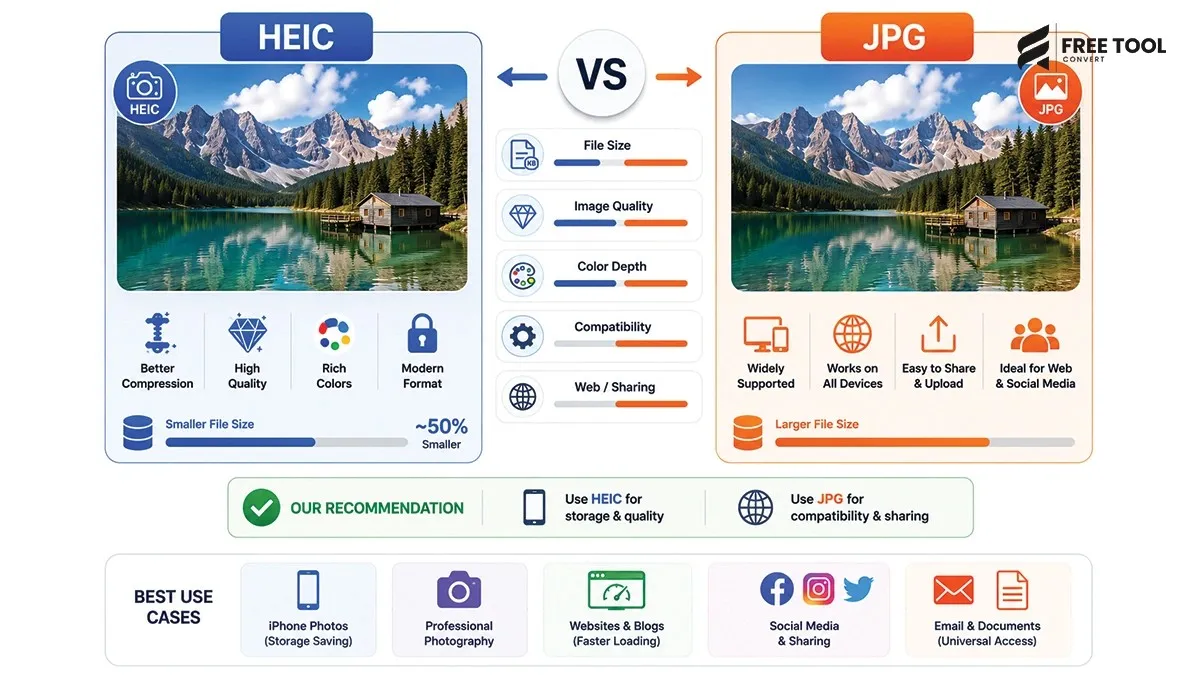
HEIC vs JPG Explained: Images are a fundamental part of digital communication — from smartphones and social media to websites and professional photography. But not all image formats are the same.
Two commonly used formats today are HEIC (High Efficiency Image Format) and JPG (JPEG). While JPG has been the industry standard for decades, HEIC is a newer, more advanced format introduced with modern devices (especially Apple products).
So, which one is better?
Table of Contents
What Is HEIC?
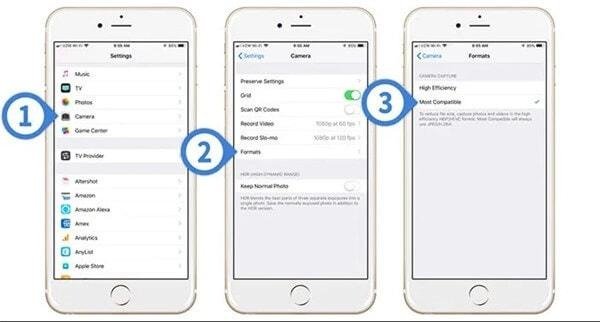
HEIC (High Efficiency Image Container) is a modern image format developed using HEIF (High Efficiency Image File Format). It is widely used by Apple devices (iPhone, iPad) as the default image format.
Key Features:
- High compression efficiency
- Better image quality at smaller file size
- Supports multiple images in one file
- Supports transparency and advanced features
What Is JPG (JPEG)?
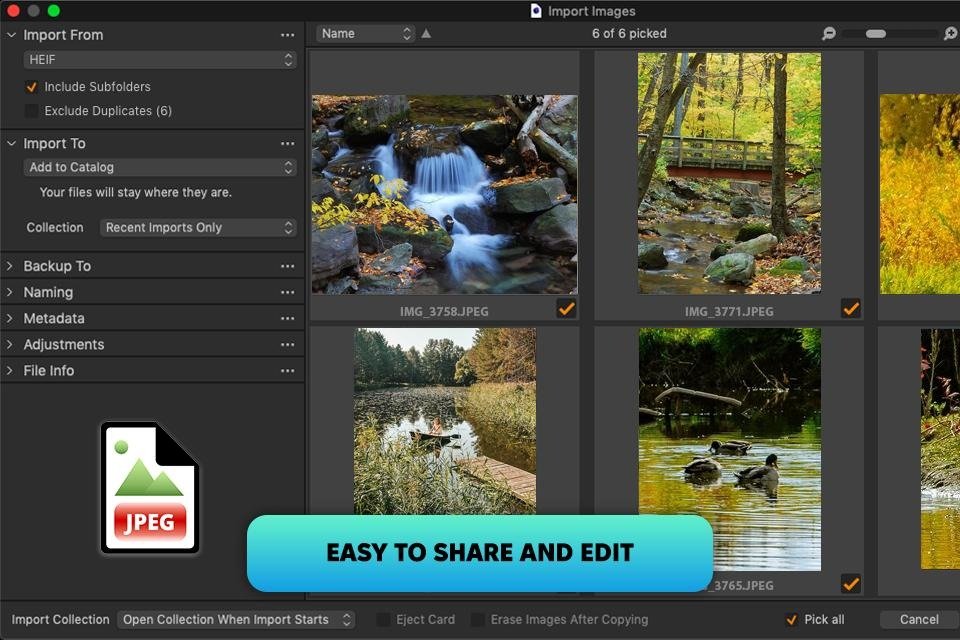
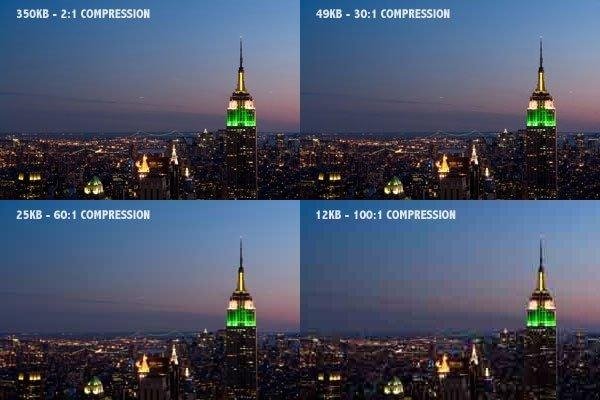
JPG (JPEG) is one of the most widely used image formats globally. It uses lossy compression to reduce file size while maintaining acceptable quality.
Key Features:
- Universal compatibility
- Smaller file size
- Lossy compression
- No transparency support
HEIC vs JPG – Quick Comparison Table
| Feature | HEIC | JPG |
| Compression | Advanced | Standard |
| File Size | Smaller | Larger |
| Quality | Higher | Good |
| Compatibility | Limited | Universal |
| Transparency | Yes | No |
| Editing Support | Limited | Wide |
File Size Comparison
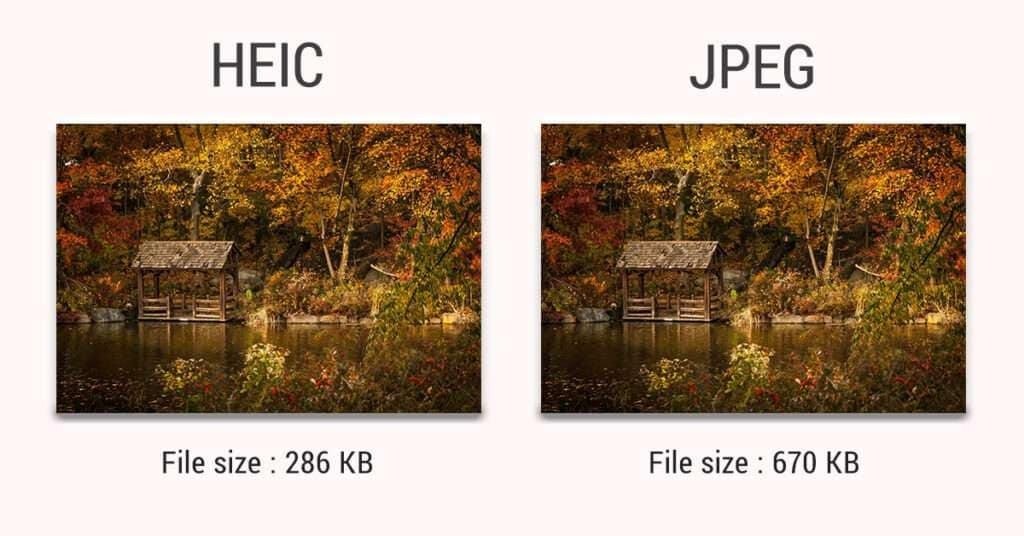
One of the biggest advantages of HEIC is its smaller file size.
Example:
- JPG: 5 MB
- HEIC: 2–3 MB (same quality)
This makes HEIC ideal for saving storage space.
Image Quality Comparison
HEIC
- Better detail retention
- Improved color depth
- Higher dynamic range
JPG
- Slight quality loss due to compression
- Still good for everyday use
Conclusion: HEIC offers better quality at smaller size.
Compatibility: The Biggest Difference
HEIC Compatibility
- Works on iPhones and newer Apple devices
- Limited support on Windows and older systems
- Requires conversion for many platforms
JPG Compatibility
- Works everywhere
- Supported by all devices, browsers, and software
Conclusion: JPG wins in compatibility.
When to Use HEIC: HEIC vs JPG Explained
Use HEIC when:
- You’re using Apple devices
- You want smaller file size
- You need high-quality images
- Storage space matters
When to Use JPG
Use JPG when:
- You need universal compatibility
- Uploading images to websites
- Sharing files across platforms
- Using older devices or software
HEIC vs JPG for Websites
For websites:
- JPG is better because of compatibility
- HEIC is not widely supported by browsers
Best practice:
Convert HEIC → JPG or WebP before uploading.
SEO Impact of Image Formats
Image formats affect SEO through:
Page Speed
Smaller images load faster.
User Experience
Faster loading improves engagement.
Mobile Performance
Optimized images improve mobile UX.
WebP is best for SEO, but between HEIC and JPG:
- HEIC is smaller
- JPG is more compatible
Advantages of HEIC Over JPG
- Smaller file size
- Better image quality
- Advanced features
- Efficient storage
Disadvantages of HEIC
- Limited compatibility
- Requires conversion
- Not ideal for web use
Advantages of JPG
- Universal compatibility
- Easy sharing
- Widely supported
- Simple to use
Disadvantages of JPG
- Larger file size
- Quality loss on compression
- No transparency
HEIC vs JPG for Different Use Cases
Photography
- HEIC (better quality + smaller size)
Social Media
- JPG (better compatibility)
Websites
- JPG or WebP (not HEIC)
Storage
- HEIC (saves space)
How to Convert HEIC to JPG
You can easily convert using:
- FreeToolConvert HEIC to JPG Converter
- Online image converters
- Mobile apps
Common Mistakes to Avoid
- Uploading HEIC directly to websites
- Ignoring compatibility issues
- Not optimizing images
- Using wrong format for purpose
Best Practices for Image Format Selection
- Use HEIC for storage
- Convert to JPG/WebP for sharing
- Optimize images before uploading
- Choose format based on use case
- Compress images for performance
Future of Image Formats
The future includes:
- WebP dominance
- HEIC growing adoption
- AVIF emerging as next-gen format
Conclusion
Both HEIC and JPG have their advantages, but choosing the right format depends on your needs.
- HEIC – Best for storage and high-quality images
- JPG – Best for compatibility and sharing
If you want flexibility and universal usage, JPG is still the safest choice. But for efficiency and modern devices, HEIC is the future.
Frequently Asked Questions (FAQs)
Is HEIC better than JPG?
Yes, in terms of quality and file size.
Why can’t I open HEIC files?
Because of limited compatibility.
Should I convert HEIC to JPG?
Yes, for sharing and web use.
Which format is smaller?
HEIC is smaller.
Is JPG outdated?
No, it’s still widely used.
Can I use HEIC on websites?
Not recommended due to compatibility issues.
Convert HEIC to JPG Instantly
Want better compatibility?
Upload your HEIC file
Convert to JPG instantly
Download optimized image
Start using free image conversion tools online today and make your images compatible everywhere!