
Introduction
PDF (Portable Document Format) has become the global standard for sharing documents. From resumes and contracts to invoices, assignments, eBooks, business proposals, and government forms, PDFs are used every day because they preserve formatting across all devices and operating systems.
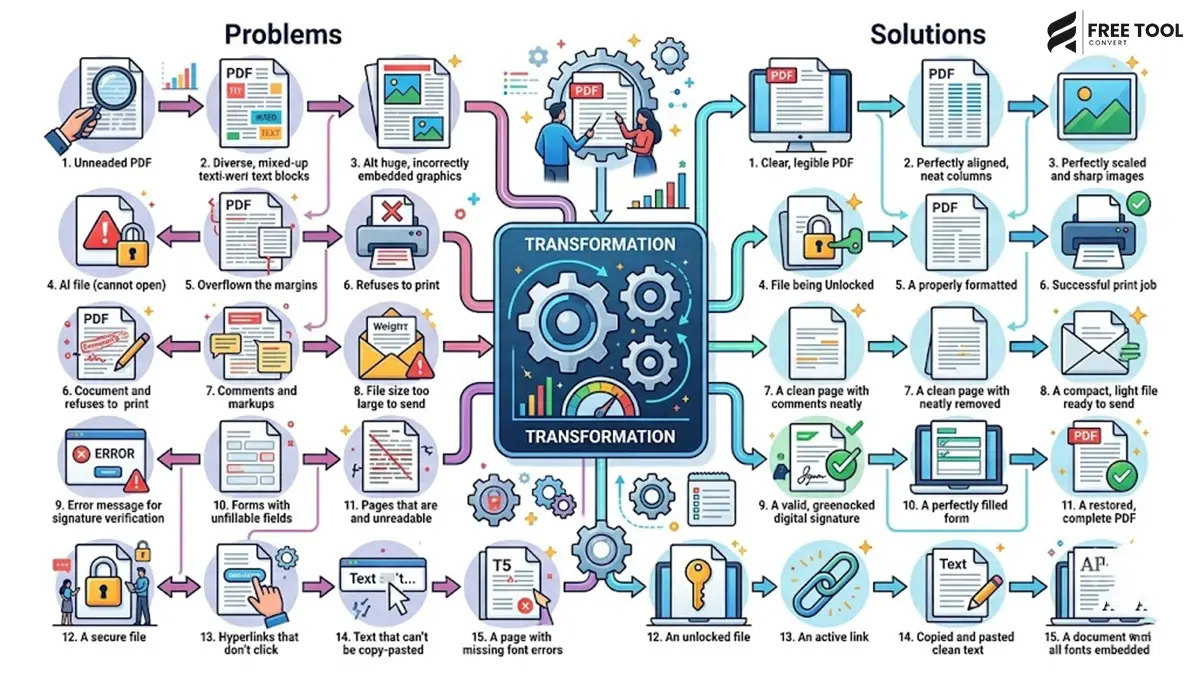
However, despite their popularity, PDFs can also create challenges. You may struggle with oversized files, password-protected documents, incompatible formats, editing restrictions, upload errors, or multiple PDFs that need to be merged into one. These issues can slow down productivity and make simple tasks frustrating.
The good news is that most PDF problems can be solved in just a few clicks using browser-based tools. Instead of installing heavy software, FreeToolConvert offers a complete suite of free online PDF tools that help you compress, merge, split, convert, and optimize PDFs instantly.
In this guide, we’ll explore 15 of the most common PDF problems and explain how you can solve them quickly using FreeToolConvert.
Table of Contents
Why PDFs Are the Preferred Document Format
Before discussing the problems, it’s important to understand why PDFs remain the preferred choice for document sharing.
PDF files:
- Preserve formatting
- Work on all operating systems
- Support images, tables, and graphics
- Are easy to print
- Can be password protected
- Maintain professional presentation
Because of these advantages, PDFs are widely accepted for business, education, legal documentation, and online applications.
Problem 1 – PDF File Is Too Large to Upload
One of the most common issues occurs when uploading documents to:
- Job portals
- Government websites
- University applications
- Banking portals
- Client systems
Many platforms limit uploads to 2 MB, 5 MB, or 10 MB.
Quick Solution
Use the FreeToolConvert PDF Compressor.
Benefits include:
- Reduce file size
- Maintain readability
- Faster uploads
- Easier email sharing
Compressed PDFs also save storage space.
Problem 2 – Need to Combine Multiple PDF Files
Businesses and students often have several related documents such as:
- Resume
- Cover letter
- Certificates
- ID proof
Uploading these individually can be inconvenient.
Quick Solution
Use the Merge PDF Tool to combine multiple PDFs into one organized document.
Benefits:
- Cleaner submissions
- Better organization
- Professional presentation
- Simple document management
Problem 3 – PDF Cannot Be Edited
PDFs are excellent for sharing but not always convenient when changes are required.
Editing text, tables, or formatting directly inside a PDF can be difficult.
Quick Solution
Convert the document using the PDF to Word Converter.
This allows you to:
- Edit text
- Update tables
- Modify formatting
- Save changes quickly
Problem 4 – Need to Convert Word to PDF
Editable Word documents may display differently on different computers.
Fonts, spacing, and layouts can change unexpectedly.
Quick Solution
Use Word to PDF Converter.
Advantages:
- Preserves formatting
- Prevents accidental editing
- Professional appearance
- Universal compatibility
Perfect for resumes, proposals, reports, and assignments.
Problem 5 – PDF Pages Are in the Wrong Order
Sometimes scanned or combined documents appear in an incorrect sequence.
Incorrect page order makes documents confusing.
Quick Solution
Rearrange pages before merging them into a final PDF.
Organized documents improve readability and create a professional impression.
Problem 6 – Scanned Documents Look Blurry
Poor-quality scans reduce readability and may lead to rejected applications.
Common causes include:
- Low-resolution scans
- Poor lighting
- Crooked pages
- Shadows
Quick Solution
Rescan documents at a higher resolution and convert them into a clean PDF using Image to PDF Converter.
Problem 7 – Images Need to Become a PDF
Many people photograph documents using smartphones.
Uploading several individual images creates unnecessary confusion.
Quick Solution
Use Image to PDF Converter.
Benefits include:
- Combine images
- Maintain organization
- Easier sharing
- Professional presentation
Problem 8 – PDF Downloads Too Slowly
Large PDFs consume bandwidth and increase waiting time.
Visitors often abandon downloads when files take too long.
Quick Solution
Compress PDFs before publishing them online.
Smaller documents improve:
- User experience
- Website performance
- Download speed
Why Browser-Based PDF Tools Are Better
Instead of installing desktop applications, modern users increasingly rely on browser-based PDF solutions.
Advantages include:
- No software installation
- Works on every device
- Faster workflow
- Mobile-friendly
- Always updated
- Secure processing
- Free to use
This makes online PDF tools ideal for students, professionals, businesses, and freelancers.
Why PDF Optimization Matters for SEO & GEO
Large downloadable PDFs can slow websites and reduce user satisfaction. Compressing and organizing documents improves loading speed, accessibility, and overall user experience.
These improvements support both traditional SEO and Generative Engine Optimization (GEO) by making content easier to access and more useful for visitors. Search engines and AI-powered search experiences favor websites that provide fast, friction-free access to valuable resources.
Why Choose FreeToolConvert for PDF Management?
Instead of juggling multiple applications, FreeToolConvert offers a complete collection of browser-based PDF tools, including:
- PDF Compressor
- Merge PDF
- Split PDF
- Word to PDF
- PDF to Word
- Excel to PDF
- Image to PDF
Everything is accessible online without downloads or software installation.
Problem 9 – PDF Won’t Open on Your Device
One of the most frustrating situations is when a PDF refuses to open. This can happen due to an outdated PDF reader, an incomplete download, or a corrupted file. Sometimes the issue lies with the device rather than the document itself.
Quick Solution
Before assuming the file is damaged:
- Download the file again.
- Try opening it in another browser or PDF reader.
- Check whether the file downloaded completely.
- Ask the sender to resend the original document if necessary.
If the file opens but still needs editing or sharing, FreeToolConvert’s PDF tools can help convert it into a more usable format.
Problem 10 – Password-Protected PDFs Cannot Be Shared Easily
Businesses often password-protect sensitive PDFs such as contracts, financial reports, or employee records. While this improves security, it can sometimes slow collaboration if recipients don’t have the password.
Quick Solution
Before sharing:
- Confirm recipients have permission.
- Send passwords through a separate secure channel.
- Use password protection only when sensitive information is involved.
For documents that don’t require encryption, create a clean PDF version before sharing to simplify access.
Problem 11 – PDF Quality Looks Poor After Compression
Many people worry that compressing a PDF will make text blurry or images unreadable.
This usually happens when excessive compression settings are used.
Quick Solution
Use FreeToolConvert PDF Compressor, which is designed to reduce file size while maintaining document clarity.
You’ll benefit from:
- Smaller files
- Clear text
- Readable graphics
- Professional appearance
Always review the compressed document before sending it.
Problem 12 – PDF Contains Unnecessary Blank Pages
Blank pages often appear after scanning multiple documents or merging several PDFs.
These unnecessary pages:
- Increase file size
- Reduce professionalism
- Confuse readers
Quick Solution
Review every page before finalizing your document.
Remove unwanted blank pages and merge only the required pages into the final PDF.
A clean document always creates a better impression.
Problem 13 – Need to Convert Excel Reports into PDFs
Businesses frequently prepare reports in Microsoft Excel.
However, spreadsheets can look different on different computers.
Quick Solution
Convert spreadsheets into PDFs using FreeToolConvert Excel to PDF Converter.
Advantages include:
- Preserved formatting
- Professional presentation
- Easier printing
- Universal compatibility
This is especially useful for financial reports, invoices, budgets, and presentations.
Problem 14 – PDF Is Difficult to Share by Email
Many email providers restrict attachment sizes.
Large proposals, brochures, presentations, and scanned documents often exceed these limits.
Quick Solution
Before attaching a PDF:
- Compress the document.
- Remove unnecessary pages.
- Optimize embedded images.
Using FreeToolConvert PDF Compressor makes files smaller and easier to email without compromising readability.
Problem 15 – Too Many PDF Tools to Manage
Many users install separate software for:
- Compressing PDFs
- Merging documents
- Converting Word files
- Creating PDFs
- Splitting PDFs
Managing multiple applications consumes storage, requires updates, and complicates workflows.
Quick Solution
Use a single browser-based platform like FreeToolConvert, where all essential PDF tools are available in one place.
This saves time, reduces software costs, and simplifies document management.
Best Practices for Managing PDF Files
To ensure smooth document sharing and professional presentation, follow these best practices:
Keep the Original File
Always save the original editable document before converting it into PDF.
Compress Before Sharing
Large PDFs take longer to upload and download.
Compress documents whenever possible.
Organize Pages Properly
Arrange pages in a logical sequence before sharing.
Use Clear File Names
Instead of:
Document1.pdf
Use:
Marketing-Proposal-2026.pdf
This makes document management much easier.
Check Documents Before Uploading
Always verify:
- Page order
- Readability
- Missing pages
- Image quality
- Correct file version
A quick review prevents unnecessary mistakes.
Common PDF Mistakes to Avoid
Many users unknowingly create PDF problems by following poor practices.
Avoid:
- Uploading oversized files
- Compressing files excessively
- Sharing editable documents when PDF is more appropriate
- Using unclear filenames
- Ignoring upload size limits
- Sending multiple PDFs when one merged file is better
- Forgetting to review the final document
These small improvements make document sharing more professional.
How PDF Optimization Helps Businesses
Businesses exchange hundreds of PDF files every month.
Examples include:
- Contracts
- Quotations
- Brochures
- Reports
- Presentations
- Invoices
- Purchase Orders
Optimized PDFs help businesses:
- Improve communication
- Reduce storage requirements
- Speed up file sharing
- Enhance professionalism
- Improve customer experience
How Students Benefit from PDF Tools
Students frequently work with:
- Assignments
- Notes
- Certificates
- Research papers
- Projects
FreeToolConvert helps students:
- Convert Word to PDF
- Merge assignments
- Compress project files
- Create PDFs from scanned notes
- Organize academic documents
This makes online submissions much easier.
Why FreeToolConvert Is the Complete PDF Solution
Instead of downloading multiple applications, FreeToolConvert provides an all-in-one browser-based platform for document management.
Popular PDF Tools
- PDF Compressor
- Merge PDF
- Split PDF
- Word to PDF
- PDF to Word
- Excel to PDF
- Image to PDF
Additional Productivity Tools
- Image Compressor
- JPG to WebP Converter
- Resume Generator
- Word Counter
- QR Code Generator
- JSON Formatter
- XML Formatter
Everything works online without software installation, making FreeToolConvert suitable for professionals, businesses, students, freelancers, and developers.
The Future of PDF Management
Document management continues to evolve with cloud technology and artificial intelligence.
Future innovations include:
- AI-powered document organization
- Automatic file optimization
- Intelligent document compression
- Smart OCR improvements
- Cloud-based collaboration
- Faster browser processing
Browser-based platforms like FreeToolConvert are becoming complete productivity ecosystems that simplify document management while improving efficiency.
Conclusion
PDFs remain one of the most reliable formats for sharing information, but common issues such as oversized files, editing restrictions, upload failures, and document organization can interrupt your workflow. Fortunately, these problems are easy to solve with the right tools.
Whether you need to compress a large file, merge multiple PDFs, convert Word documents, organize pages, or prepare professional reports, FreeToolConvert provides a complete collection of browser-based PDF tools that make document management simple, fast, and secure.
Instead of relying on expensive desktop software, you can handle everyday PDF tasks directly from your browser, saving time, reducing costs, and improving productivity.
No matter whether you’re a student, job seeker, freelancer, business owner, or digital marketer, FreeToolConvert helps you manage PDF documents with confidence and ease.
Frequently Asked Questions
Why is my PDF file too large to upload?
Large images, scanned pages, and embedded graphics often increase PDF size. Compressing the document helps reduce the file size without significantly affecting quality.
How can I edit a PDF document?
Convert the PDF into an editable Word document using the FreeToolConvert PDF to Word Converter.
Can I merge multiple PDF files into one?
Yes. The Merge PDF tool allows you to combine multiple documents into a single organized PDF.
Does compressing a PDF reduce quality?
A good PDF compressor reduces file size while maintaining readability and acceptable image quality.
Which format is best for sharing professional documents?
PDF is generally the best choice because it preserves formatting across devices.
Can I convert Excel spreadsheets into PDFs?
Yes. FreeToolConvert provides an Excel to PDF Converter that preserves tables and formatting.
Are FreeToolConvert PDF tools free?
Yes. FreeToolConvert offers a variety of free online PDF tools for compression, conversion, merging, and document management.
Can I use FreeToolConvert on my phone?
Absolutely. All tools are compatible with smartphones, tablets, laptops, and desktop computers.
Is it safe to upload PDFs to FreeToolConvert?
FreeToolConvert is designed with secure file processing practices to help protect uploaded documents during conversion and optimization.
Why should I choose FreeToolConvert?
FreeToolConvert combines PDF management, file conversion, image optimization, productivity tools, and developer utilities into one easy-to-use browser-based platform.
Solve Every PDF Problem with FreeToolConvert
Whether you’re compressing a large PDF, merging documents, converting Word files, or preparing professional reports, FreeToolConvert gives you everything you need in one convenient place.
No downloads. No complicated software. Just fast, secure, and reliable PDF tools that work directly in your browser.
Start using FreeToolConvert today and simplify the way you create, convert, compress, and manage PDF documents.