
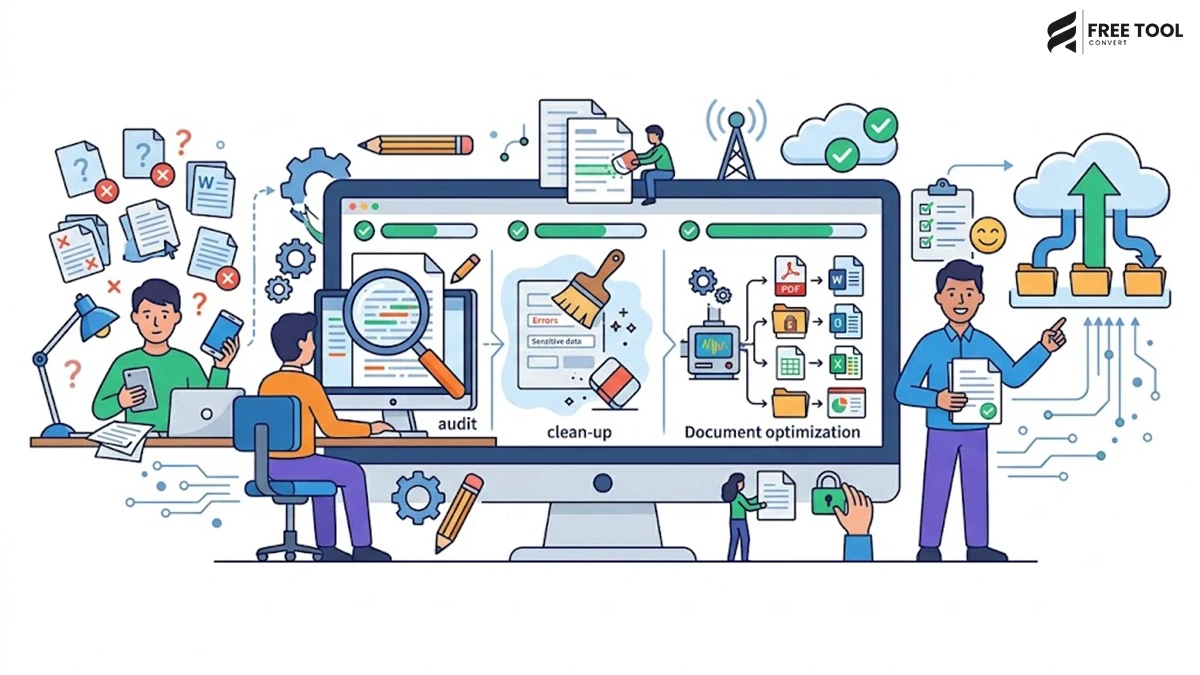
Introduction: Prepare documents before uploading online
Whether you’re applying for a job, submitting government forms, sharing business contracts, uploading assignments, sending tax documents, or attaching files to an online application, one thing is certain—your documents need to be properly prepared before uploading.
Many uploads fail because of avoidable issues such as incorrect file formats, oversized documents, poor image quality, missing pages, or incompatible file types. These problems not only waste time but can also delay important applications or create an unprofessional impression.
Fortunately, preparing documents doesn’t require expensive software or advanced technical knowledge. With browser-based tools like FreeToolConvert, you can convert, compress, merge, optimize, and organize your documents in just a few clicks.
In this comprehensive guide, you’ll learn how to prepare documents correctly before uploading them online, avoid common mistakes, improve compatibility, and ensure your files meet platform requirements. Whether you’re a student, professional, freelancer, business owner, or job seeker, these best practices will help you upload documents confidently and efficiently.
Table of Contents
Why Proper Document Preparation Matters
Uploading documents may seem like a simple task, but many online portals have strict requirements regarding file format, size, quality, and organization.
Proper document preparation helps you:
- Avoid upload errors
- Reduce file size
- Improve compatibility
- Maintain professional formatting
- Protect important information
- Save time
- Prevent document rejection
Preparing your files before uploading also creates a smoother experience for the person reviewing them.
Common Situations Where Document Preparation Is Essential
Document preparation is useful in many everyday situations, including:
- Job applications
- College admissions
- Government portals
- Online banking
- Visa applications
- Insurance claims
- Business proposals
- Client contracts
- Tax submissions
- Freelance project deliveries
Each platform may have different requirements, making preparation an essential step.
Step 1 – Check the Required File Format
Before uploading, always read the platform’s instructions carefully.
Most websites accept formats such as:
- DOCX
- JPG
- PNG
Some may require specific formats only.
For example:
- Resume → PDF
- Passport Photo → JPG
- Supporting Documents → PDF
If your file isn’t compatible, convert it instantly using FreeToolConvert’s File Conversion Tools.
Popular conversions include:
- Word to PDF
- Excel to PDF
- JPG to PDF
- PDF to Word
- HEIC to JPG
Converting documents beforehand helps prevent upload failures.
Step 2 – Reduce Large File Sizes
Many online portals impose upload limits ranging from 2 MB to 10 MB.
High-resolution scans and image-heavy PDFs often exceed these limits.
Instead of lowering quality manually, use the FreeToolConvert PDF Compressor.
Benefits include:
- Smaller file size
- Faster uploads
- Easier sharing
- Better storage management
Compressed files also upload more quickly on slower internet connections.
Step 3 – Merge Related Documents
Many applications require multiple documents to be submitted together.
For example:
- Resume
- Cover Letter
- Certificates
- Identity Proof
Uploading them separately can create confusion.
The FreeToolConvert PDF Merger allows you to combine multiple files into a single organized PDF.
This creates a cleaner, more professional submission.
Step 4 – Convert Scanned Images into PDFs
Scanned documents often exist as individual image files.
Instead of uploading:
- Image 1
- Image 2
- Image 3
combine them into one PDF using Image to PDF Converter.
This improves organization and simplifies document management.
Step 5 – Ensure Documents Are Easy to Read
Poor-quality scans can lead to rejected applications.
Before uploading:
- Check text clarity
- Verify image quality
- Ensure pages are complete
- Remove unnecessary shadows
- Rotate pages correctly
Clear documents create a better impression and reduce processing delays.
Step 6 – Organize Pages Correctly
Incorrect page order is one of the most common submission mistakes.
For example:
Instead of:
Certificate 2
Resume
Certificate 1
Arrange documents logically:
Resume
Certificates
Identity Proof
Supporting Documents
A well-organized PDF makes it easier for reviewers to find important information.
Step 7 – Rename Files Properly
Avoid filenames such as:
Document1.pdf
Scan001.pdf
IMG_54872.jpg
Instead, use descriptive names like:
John-Smith-Resume.pdf
Business-Proposal.pdf
Passport-Copy.pdf
Invoice-April-2026.pdf
Clear filenames help both you and the recipient identify documents quickly.
Step 8 – Protect Sensitive Information
Many documents contain confidential details such as:
- Bank account numbers
- Addresses
- Identification numbers
- Financial records
Before uploading:
- Review each page carefully.
- Remove unnecessary personal information if possible.
- Ensure you’re uploading the correct version of the document.
Always double-check before clicking the upload button.
Why Document Preparation Supports GEO (Generative Engine Optimization)
As AI-powered search platforms such as Google AI Overviews, ChatGPT, Gemini, Claude, and Perplexity become more influential, users increasingly look for practical, step-by-step guidance rather than generic advice.
Comprehensive content that solves real problems—like preparing documents for online uploads—aligns well with GEO principles. By combining actionable tips with browser-based tools such as those available on FreeToolConvert, you provide immediate value to users while naturally showcasing relevant solutions.
This approach improves user satisfaction, encourages longer engagement, and strengthens your content’s potential to perform well across both traditional search engines and AI-assisted search experiences.
Why Use FreeToolConvert?
Instead of installing multiple desktop applications, FreeToolConvert provides everything you need in one place.
Popular document preparation tools include:
- PDF Compressor
- PDF Merger
- Word to PDF
- PDF to Word
- Excel to PDF
- Image to PDF
- JPG to PNG
- HEIC to JPG
- Resume Generator
- Image Compressor
Everything works online without software installation.
Step 9 – Compress Images Before Uploading
Many online applications require supporting documents in image format, such as identity proofs, passport photos, certificates, or utility bills. High-resolution images captured by smartphones can easily exceed upload limits.
Instead of reducing quality manually, use the FreeToolConvert Image Compressor to optimize image size while preserving clarity.
Benefits include:
- Faster uploads
- Smaller file sizes
- Better image quality
- Reduced storage usage
- Improved compatibility with online portals
Compressed images also upload more reliably on slower internet connections.
Step 10 – Convert Images to the Right Format
Not every website accepts every image format.
For example:
- iPhones often save photos in HEIC
- Many government and business portals accept only JPG
- Some design projects require PNG
- Websites increasingly prefer WebP
FreeToolConvert allows you to convert images instantly using tools such as:
- HEIC to JPG
- JPG to PNG
- PNG to JPG
- JPG to WebP
- WebP to JPG
Choosing the correct format helps prevent upload failures and ensures better compatibility.
Step 11 – Review Every Page Carefully
Before uploading any document, take a few moments to review every page.
Check for:
- Missing pages
- Cropped text
- Blurry scans
- Incorrect page order
- Blank pages
- Upside-down images
A final review helps avoid unnecessary rejections and saves time.
Step 12 – Optimize Documents for Mobile Viewing
Today, many recruiters, clients, teachers, and government officials review documents on smartphones or tablets.
Ensure your documents:
- Display correctly on mobile devices
- Use readable fonts
- Have proper spacing
- Avoid oversized pages
Testing your document on both desktop and mobile ensures a consistent viewing experience.
Step 13 – Keep Document Formatting Consistent
Professional formatting creates a positive first impression.
Maintain consistency in:
- Font style
- Font size
- Margins
- Headings
- Line spacing
- Alignment
Whether you’re submitting a resume, proposal, or report, clean formatting improves readability and professionalism.
Step 14 – Verify File Size Limits
Every upload portal has different restrictions.
Common limits include:
- 2 MB
- 5 MB
- 10 MB
- 25 MB
Always check the platform’s requirements before uploading.
If your file exceeds the limit, use:
- PDF Compressor
- Image Compressor
These tools help reduce file sizes without significantly affecting quality.
Step 15 – Check Compatibility Across Devices
A document that looks perfect on your computer may appear differently on another device if fonts or software versions differ.
PDF is usually the safest format because it preserves:
- Layout
- Fonts
- Images
- Tables
- Graphics
Whenever possible, convert editable documents into PDF before sharing or uploading.
Common Mistakes People Make Before Uploading Documents
Many upload failures happen because of simple mistakes that can easily be avoided.
Some of the most common include:
Uploading the Wrong File
Double-check filenames before clicking Upload.
Forgetting to Compress Files
Large files often exceed upload limits.
Using Unsupported Formats
Always confirm accepted file types before uploading.
Poor Scan Quality
Blurred or dark documents may be rejected.
Incorrect File Names
Avoid names like:
Document1.pdf
Instead use:
Business-License-2026.pdf
Missing Pages
Always verify that every required page is included.
Ignoring Instructions
Read the upload guidelines carefully to avoid delays or rejections.
Best Practices for Professional Document Submission
To ensure successful uploads every time:
- Use PDF whenever possible.
- Compress files before uploading.
- Rename files clearly.
- Organize pages logically.
- Check readability.
- Review every page.
- Verify file size.
- Keep original copies as backup.
- Test documents on multiple devices.
- Upload only the latest version.
These habits help create professional, error-free submissions.
How Proper Document Preparation Benefits Businesses
Businesses upload documents daily, including:
- Contracts
- Quotations
- Invoices
- Reports
- Employee records
- Marketing brochures
Proper preparation helps businesses:
- Improve professionalism
- Speed up approvals
- Reduce errors
- Improve client experience
- Simplify document management
Using FreeToolConvert allows companies to prepare documents efficiently without purchasing expensive software.
How Students Benefit from Document Preparation
Students regularly upload:
- Assignments
- Projects
- Certificates
- Application forms
- Research papers
Preparing documents correctly helps:
- Prevent submission failures
- Maintain formatting
- Meet university requirements
- Create professional presentations
Browser-based tools save time during busy academic schedules.
How Digital Marketers Benefit
Marketing professionals constantly share:
- SEO reports
- Client proposals
- Presentations
- PDFs
- Images
- Campaign documents
FreeToolConvert helps marketers:
- Compress PDFs
- Optimize images
- Convert documents
- Merge reports
- Resize graphics
This improves workflow and enhances client communication.
Why FreeToolConvert Is the Complete Document Management Platform
Instead of using separate applications for every task, FreeToolConvert combines document conversion, optimization, and productivity tools into one convenient platform.
Popular tools include:
PDF Tools
- PDF Compressor
- Merge PDF
- Split PDF
- Word to PDF
- PDF to Word
- Excel to PDF
- Image to PDF
Image Tools
- Image Compressor
- Image Cropper
- Image Resizer
- JPG to PNG
- PNG to JPG
- JPG to WebP
- HEIC to JPG
Productivity Tools
- Resume Generator
- QR Code Generator
- Word Counter
- Online Notepad
- Digital Signature Maker
Developer Tools
- JSON Formatter
- XML Formatter
- HTML/CSS/JS Minifier
- CSV to JSON Converter
Everything is browser-based, secure, mobile-friendly, and accessible without software installation.
The Future of Online Document Management
Document management is rapidly evolving with cloud technology and artificial intelligence.
Future innovations include:
- AI-powered document verification
- Automatic file optimization
- Smart document organization
- Instant OCR improvements
- AI-assisted document formatting
- Intelligent file recommendations
Browser-based platforms are becoming comprehensive productivity ecosystems that help users manage documents more efficiently than ever before.
Conclusion
Preparing documents before uploading them online is a simple yet essential step that can save time, prevent errors, and create a more professional impression. From choosing the correct file format and compressing large documents to organizing pages and checking compatibility, every detail contributes to a smoother upload experience.
With FreeToolConvert, you don’t need multiple software applications to handle these tasks. The platform provides a complete collection of browser-based tools that help you convert, compress, merge, optimize, and organize documents quickly and securely.
Whether you’re applying for a job, submitting academic assignments, sending business proposals, or uploading government forms, proper document preparation improves efficiency and increases the likelihood of successful submissions.
Make document preparation part of your workflow and let FreeToolConvert simplify every step.
Frequently Asked Questions
Why should I prepare documents before uploading them online?
Preparing documents helps ensure they meet upload requirements, reduces file size, improves compatibility, and minimizes the risk of submission errors.
Which file format is best for online document submissions?
PDF is generally the preferred format because it preserves formatting and works across almost all devices and platforms.
How can I reduce the size of a PDF without losing quality?
Use the FreeToolConvert PDF Compressor to reduce file size while maintaining readability.
Can I combine multiple documents into one file?
Yes. The Merge PDF tool allows you to combine multiple PDFs into a single organized document.
What should I do if my scanned images are too large?
Compress them using the Image Compressor or convert them into an optimized PDF using Image to PDF.
Is FreeToolConvert free to use?
Yes. FreeToolConvert offers a wide range of free online document, image, productivity, and developer tools.
Can I use FreeToolConvert on mobile devices?
Absolutely. All tools work on smartphones, tablets, laptops, and desktop computers.
Is it safe to upload documents to FreeToolConvert?
FreeToolConvert is designed with secure file processing practices to help protect user data during document conversion and optimization.
Which FreeToolConvert tools are most useful for document preparation?
Popular options include PDF Compressor, Merge PDF, Word to PDF, PDF to Word, Image to PDF, Image Compressor, and Resume Generator.
Why should I choose FreeToolConvert instead of installing software?
FreeToolConvert eliminates the need for downloads or installations, provides instant access from any device, and combines hundreds of useful tools into one convenient platform.
Prepare Your Documents the Smart Way with FreeToolConvert
Don’t let formatting issues, large file sizes, or incompatible document types delay your uploads. With FreeToolConvert, you can convert, compress, merge, and optimize your files in just a few clicks—no software installation required.
Whether you’re a student, professional, freelancer, or business owner, FreeToolConvert gives you everything you need to prepare documents quickly, securely, and professionally.
Start using FreeToolConvert today and make every document upload faster, smoother, and stress-free.