
Introduction: Why do we use JPG to PNG Converter Online?
Images are a key element of digital communications. They are being used daily on websites, for product shots, in social media discussions, in design files, and so on. It is common to see images saved as JPG (JPEG) or PNG. JPGs are best used for compressed photographs, and PNGs for transparency and lossless quality.
This is the time when you need a JPG to PNG converter.
Whether you are designing web pages or print media, an artist or eCommerce seller, a content creator or a student, converting from JPG to PNG will enable your images to have excellent flexibility, editing possibilities, and visual clarity.
Table of Contents
learn:In this in-depth guide, you’ll learn:
Introduction to what a JPG-to-PNG converter is:
- Distinction JPG and PNG
- Benefits of being able to convert jpg to png
- Step-by-step conversion methods
What is a JPG-to-PNG converter?
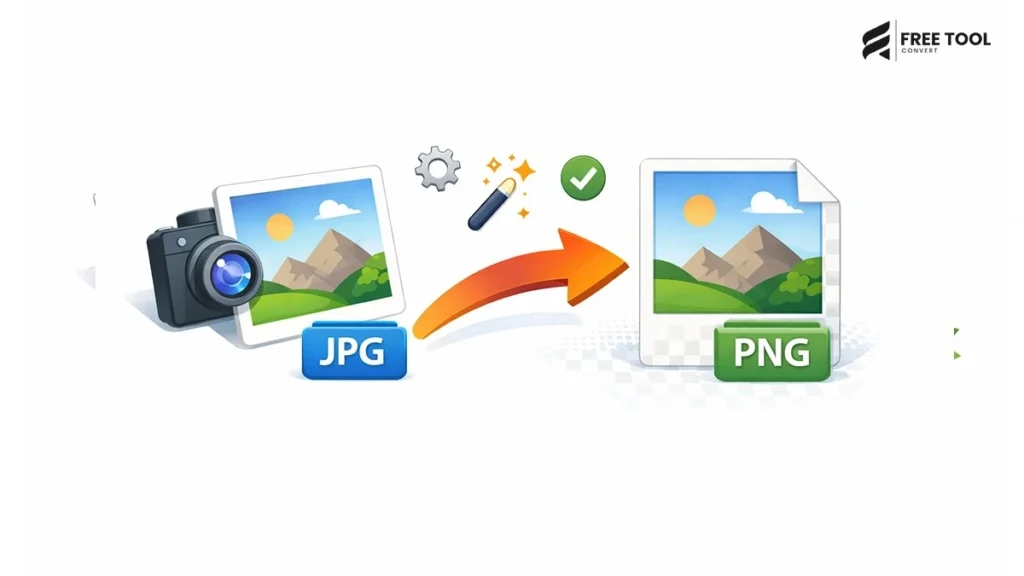
A JPG to PNG converter is an application that performs the transformation from JPG to PNG file. It takes a JPEG image file as input (a file with the filename extension .jpg or .jpeg) and resaves it as a PNG file (.png), converting the compression type and enabling new functionalities.
An online JPG to PNG converter allows users to:
- Convert one or many JPG images
- Ensure image quality is maintained.
- Enable transparent backgrounds
- Set images ready for editing or the web
- Download converted PNG files instantly.
The majority of today’s converters are cloud-based and require no installations.
What is the difference between JPG and PNG?
Let‘s go with some examples to understand why conversion is important. We are comparing some formats to JPG and PNG.
JPG (JPEG) Format
- Uses lossy compression.
- Smaller file size
- Best suitable for photographs
- Does not use metadata clearly and conspicuously
- Slight degradation of quality with compressed files.
PNG Format
- Uses lossless compression.
- Larger file size
- Supports transparent backgrounds
- Excellent for logos and graphic designs
- Keeps edges and details sharp
In case you are looking for professional, quality pictures or transparent images, use JPG to PNG conversion.
Why convert JPG to PNG?
Here are the top reasons professionals convert JPG images to PNG format:
1. Transparency Support
PNG has support for transparent backgrounds; JPG doesn‘t.
2. Higher Editing Flexibility
PNG images are easier to edit without losing quality
3. Better for Logos & Graphics
PNG would preserve edge sharpness and text clarity.
4. Professional Web Design
PNG is the preferred format for icons and other UI elements.
5. Lossless Compression
PNG preserves image quality.
6. Layer Compatibility
PNG works better when you work with graphic design apps.
How to Convert JPG to PNG Online (Step by Step)
Using an online JPG to PNG converter is simple:
Step 1: Upload Your JPG File
Drop it, or upload an image or JPEG.
Step 2: Automatic Conversion
The tool will process your file immediately.
Step 3: Download PNG File
Download the converted PNG image.
Nothing more difficult. No software.
Features of a Professional JPG to PNG Converter
When selecting the best JPG to PNG converter online, look for:
- High-resolution output
- Batch conversion support.
- Fast cloud processing.
- Secure file encryption.
- Removing files automatically
- This is not a watermark.
- Mobile compatibility
- Drag-and-drop interface
- Free unlimited usage.
These features allow safe and smooth image conversion.
Common Use Cases of JPG to PNG Conversion
1. Graphic Design
Convert all drafts to PNG, which is a more professional format than JPGs.
2. Logo Creation
Support transparent background.
3. Website Development
Icons, buttons, and UI graphics use PNG.
4. Social Media Marketing
Upload high-quality PNGs for higher engagement.
5. Ecommerce Product Images
Create clean product images without a background.
6. Print Media
Always make sure that edge quality is excellent in your printed pieces.
JPG to PNG vs PNG to JPG
| JPG to PNG | PNG to JPG |
| Enables transparency | Reduces file size |
| Improves quality | Suitable for photos |
| Good for graphics | Good for faster loading |
| Lossless conversion | Lossy compression |
Choose based on your purpose.
Batch JPG to PNG Conversion
Many tools allow bulk conversion:
- upload a bunch of JPG files
- Convert all to PNG at once.
- Download as a ZIP file
Saving time for professionals that start to manage big image collections.
Is It Safe to Convert JPG to PNG?
It‘s important to consider security when uploading files on the web.
Choose a JPG to PNG converter that:
- Uses HTTPS encryption
- Automatically deletes files
- Does not retain any user data
- Ensures secure cloud computing.
Always protect privacy.
How to Maintain Image Quality During Conversion
Follow these tips:
- High-resolution JPGs
- Check profile color compliance
- Preview prior to downloading
- Utilize tools with transparent backgrounds if necessary.
A professional converter cuts/loses no quality.
JPG to PNG for Web Developers
Web developers often convert JPG to PNG for:
- Transparent UI elements
- Navigation icons.
- Overlay graphics
- SVG substitute.
- CSS integration
PNG: allows for much better control of styling.
JPG to PNG for Designers
Designers prefer PNG because:
- Edges are maintained
- Texts are clearer
- Transparent layers Receive support
- Works well in Photoshop, Illustrator, Canva
JPG to PNG for eCommerce Sellers
Online sellers convert JPG product photos to PNG:
- Remove background
- Create neat catalogs
- Prepare listings for the marketplace
- Improve brand presentation, e.g., packaging
Transparent PNGs look far more professional.
Mobile JPG to PNG Conversion
Modern converters support:
- Android uploads
- IPhone photo conversion
- Access to the gallery direct
- Instant PNG download
- WhatsApp & email sharing
Mobile compatibility adds to comfort.
Common Mistakes During Conversion
- Using low-resolution JPG
- Ignoring color profile differences
- Not checking file size
- Uploading unsupported formats
- Skipping preview step
Avoid these for best results.
Advanced Features in Modern Converters
Modern JPG to PNG tools offer:
- Background remover
- Opaque canvas adjustment.
- Resized images
- Compression control
- Interaction through drag and drop.
- AI enhancement
Their sweetener solutions improve workflow efficiency.
The Future of Image Conversion Tools
With AI integration, future converters will provide:
- Smart background detection
- Automatic Image Enhancement
- Optimization in compression
- AI color correction.
- Is using an automated system to process all of the bulk jobs
Image conversion is getting smarter and faster.
Conclusion: JPG to PNG Converter Online
Another must-have image tool can be used by designers, developers, marketers, and business owners who need high-quality images with transparency. (Good conversion quality, lossless compression).
JPEGs are best for compressed image photographs; PNGs allow for clarity, transparent images, and a more professional look. Converting JPEGs into PNGs will make your images ready for web design/branding, graphics edits, and eCommerce.
Easy to use, secure, and cloud-based online converters make converting your JPGs to PNGs very simple and fast. It doesn‘t matter if you convert a single photo or multiple files.
If these features are important to professional presentation and support transparency and flexibility in image design, converting JPG to PNG is likely to be the optimal solution.
Frequently Asked Questions (FAQs)
1. Does converting JPG to PNG improve image quality?
It does prevent any additional degradation of quality, but it is not possible to replace the compression lost since saving as the original JPG.
2. Can I convert multiple JPG files at once?
Yes, many utilities are available for batch conversion.
3. Is PNG better than JPG?
Yes, for transparency and graphics. The photo with the smaller file size.
4. Is JPG to PNG conversion free?
Most online converters are free and have unlimited usage.
5. Is my uploaded image secure?
Trusted applications take encryption and auto-way.
6. Does PNG support transparent backgrounds?
Yes, PNG is covered by full transparency. Convert JPG to PNG. Instantly
Preparing for the conversion from JPG to PNG?
Upload your JPG now.
Converts to PNG in seconds.
Maintain quality and make it transparent. Fast free download; read it soon!
Just begin using the JPG to PNG Converter now and make your image handling perfect.