
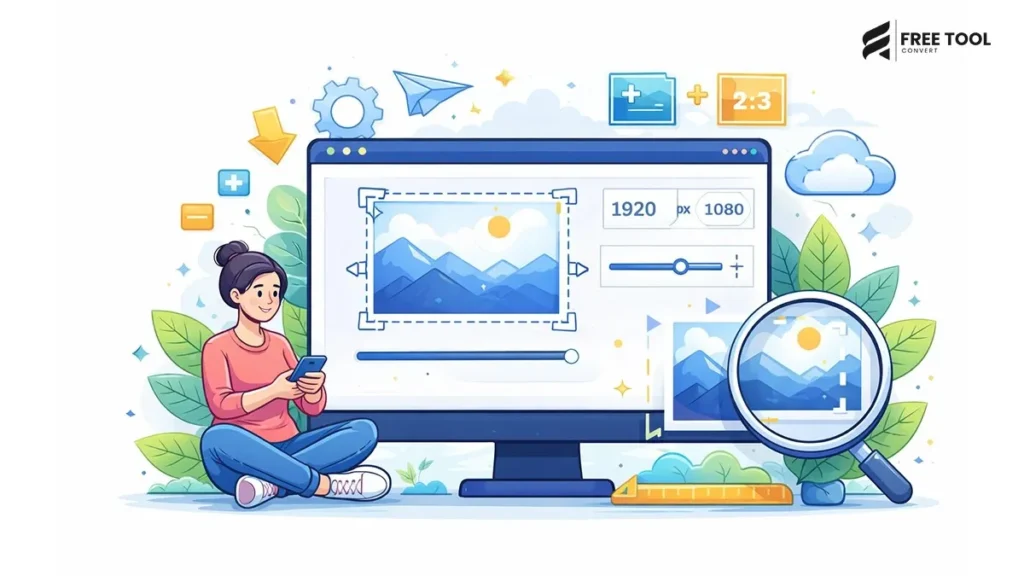
Introduction: Why Image Cropper Online Matters More Than Ever
Images are a staple of the digital world. Whether it is websites and online shopping sites or an Instagram photo, a thumbnail on YouTube, a banner, an ad, or an avatar, images form the initial greeting.
This is where an image cropper really becomes necessary.
Crop and Edit: An online image cropper enables you to crop out the part you do not need, position a subject as desired, create the composition you want, and make images fit a particular size while maintaining quality. This is especially useful if you are a designer, marketer, blogger, student, or business owner. Good cropping is crucial for clarity, professionalism, and results.
Table of Contents
What exactly is an image cropper?
An image cropper enables you to cut out certain parts of an image leaving the most important part. Cropping can be how you decide to pick important parts of the image as opposed to stretching it.
With a professional online image cropper, you can:
- Crop JPG images
- Crop PNG images
- Crop WebP images
- Adjust aspect ratio
- Remove backgrounds or distractions
- Prepare images for social media
- Get better structure and focus.
Contemporary image cropper applications run right in your web browser. You won‘t even need to download or install anything; they run in your web browser!
Why Cropping Images Is Important
What‘s all this got to do with image cropping? Well, cropping adds to the image‘s visual appeal and usability.
1. Better Composition
Direct their focus to the subject.
2. Remove Unwanted Elements
Remove all distractions and clutter.
3. Fit Platform Requirements
Match the image size for a website and social media.
4. Improve Professional Appearance
Cleaner images increase credibility.
5. Enhance Storytelling
Discuss prominent visual content.
Image Cropping vs Image Resizing
There are also many people who lump cropping under resampling or resizing.
- Image Cropper Image Resizer
- Removes sections of the image and alters the size
- Does a better job of improving composition. Tweaks width & height
- Focus area stoops 1: Maintains complete image
- Alters framing Alters scale
Both tools are helpful, but cropping is modifying what your viewers see.
How to Crop Images Online (Step-by-Step Guide)
Using an online image cropper is easy:
Step 1: Upload Your Image
How to use? 1. Studio There, drag and drop JPG, PNG, or web pages.
Step 2: Select Crop Area
Crop the box according to the area of interest.
Step 3: Choose Aspect Ratio (Optional)
Select a ratio from the following options: square, 16:9, 4:3, or custom ratio
Step 4: Apply Crop
Click “crop” to finalize.
Step 5: Download Cropped Image
Save your optimized picture immediately.
Could be used right away.
Supported Formats in Image Cropping
A professional image cropper supports:
- JPG crop
- PNG crop
- WebP crop
- GIF crop
- HEIC crop
- BMP crop
Multi-format support for flexibility.
Image Cropping for Social Media
Each platform requires specific image sizes and ratios:
- Instagram post: 1:1
- Instagram story: 9:16 (video)
- Facebook cover: 820×312
- Twitter header: 1500×500
- YouTube thumbnail: 16:9
- LinkedIn banner: 1584×396
Cropping for platform perfect!
Image Cropper for Website Optimization
Website owners crop images to:
- Assessing content layout fit
- Increase the number of hero banners, especially on the category pages.
- Emphasize product benefits as opposed to perhaps an aggregate.
- Better thumbnail display
- Unify design; locate text to overcome confusion this causes with books, heading, etc.
Editing it well makes the picture look visually balanced.
Best Practices for Cropping Images
Follow these expert guidelines:
- Use the rule of thirds for a well-composed shot.
- Do not introduce anything final that is important.
- Keep the aspect ratio.
- Place the important subject sort of in the middle or more kind of off to the side.
- Maintain minimum resolution.
- Preview before saving.
- Crop, then resize and compress.
Professional cropping emphasizes the stories in the image.
Image Cropper for eCommerce Stores
Online sellers crop images to:
- Include product details
- Remove unnecessary background
- Create standard product thumbnail.
- Improve gallery consistency.
- Increase conversion rate
Sweet product shots earn trust.
Image Cropper for Designers
Designers use cropping to:
- Improve sentence structure.
- Make banners
- Focus on people.
- Graphics for use in marketing.
- Adjust thumbnails
Precision cropping enhances the impact of design.
Image Cropper for Bloggers
Bloggers crop images to:
- With fit article layout
- Highlight the visuals and any captions.
- This text can be improved in terms of readability.
- Write on a consistent theme
- Optimize thumbnails.
Focused images improve the quality of the content.
Common Mistakes in Image Cropping
- Growing too close: Seedlings should be planted not too near one another.
- Failing to include enough details
- Neglect aspect ratio
- Cropping low-resolution images
- Forgetting the resize after the crop.
- Always preview the final output.
Advanced Features in Modern Image Croppers
Modern tools provide:
- Custom aspect ratio
- Preset ratios for a social media
- Hand-free crop
- Rotate and flip options
- Real-time preview
- Processing is performed in the cloud
- An interface using drag and drop.
- Smart crop by artificial intelligence
- More advanced features improve efficiency.
- Smart Cropping with AI
- Some modern image cropper tools offer AI-based cropping that:
- The system detects faces.
- Manages small objects and clusters related objects.
- Recommends framing in a positive, based way.
- Auto documentation
- Improves professional work, AI cropping.
Mobile Image Cropping
Modern online tools allow:
- Crop images straight from mobile gallery
- Adjust crop box with touch gestures
- Sharing immediately
- Optimize for Instagram and WhatsApp
- Hands-free convenience.
Print cropping focuses on:
- Margins for bleed
- High resolution
- The print safe area
Know your end format.
How Cropping Improves Visual Storytelling
Cropping enhances storytelling by:
- Focusing attention
- No distraction. Removal of distractions
- Focusing on the emotional
- Dramatizing: The dramatization of the distribution.
Strategic cropping can enhance the effectiveness of visual communication.
The Future of Image Cropping Tools
With AI and automation, cropping tools will:
- If you have animated a feature in Flash, it should automatically prune to video framing. If you‘ve shot conventionally or are just running a single edit, click “auto” to detect the best framing.
- Optimize for the platform. If an OpenCL-based application supports more than one platform, then the application can choose to run the code on the most optimal platform. Usually, an application analyzes the device to calculate which platform will give the best performance.
- Suggests creative compositions
- Integrate with design systems
- Provides real-time collaboration
- The image is getting more intelligent.
Security in Online Image Cropping
Choose tools that:
- Use HTTPS encryption
- Auto-delete file
- The auto-delete plugin deletes a file specified by the user.
- User data shouldn’t be retained.
- Securely process images in the cloud.
Privacy protection is necessary.
Conclusion
An image cropper tool can be invaluable for anyone dealing with image files. If you are a web designer, blogger, marketer, eCommerce seller, or student, cropping images makes the images more clearly focused, better composed, and easier to present.
Correct cropping eliminates features that distract, emphasizes important parts, and guarantees compatibility with the platform. When not used with resizing and compression, it improves website speed, search engine optimization (SEO), and usability.
Here, if you want more professional-looking images, more engagement, and ‘cleaner’ graphics on top of that, you‘re going to need a decent online image cropper.
The best thing you can do is just optimize the images of your website. Frame the content visually.
Frequently Asked Questions (FAQs)
1. Does cropping reduce image quality?
No, cropping removes pixels but does not decrease its quality.
2. What is the best aspect ratio for Instagram?
1:1 for posts and 9:16 for stories.
3. Can I crop images online for free?
Absolutely! There are plenty of free online image cropper tools.
4. Does cropping improve SEO?
Minimally, more appealing is increased engagement and satisfaction.
5. Can I crop multiple images at once?
Some tools support batch cropping.
6. Is my uploaded image secure?
Trusted tools encrypt and auto-delete the files. Crop Images Instantly
Ready to perfect your images?
Upload your image now.
Select the crop area and change the aspect ratio.
How can you delete a section you don‘t want?
Download your cropped image safely and free.
Begin working with the Image Cropper Tool today and improve your images immediately.