
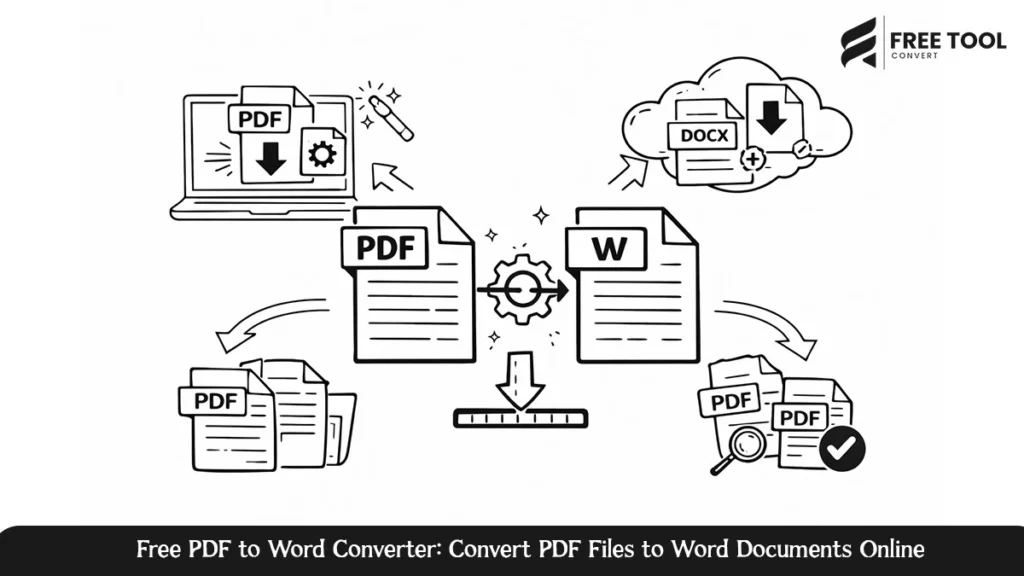
Free PDF to Word Converter: Converting PDFs to editable Word documents has become a fundamental requirement for students, professionals, organizations, and authors. One of the greatest advantages of PDFs is that they can be used for transferring secure data. However, editing these documents is not an easy process. This is where the importance of a PDF to Word converter is felt. With a powerful online tool for converting PDFs to Word documents on the FreeToolConvert website, users can change their static PDFs into fully editable Word documents.
This e-book is set to provide a detailed explanation on how PDF to Word conversion is done, its importance, and tips on how to use online converters appropriately and exactly why our solution on FreeToolConvert is considered the best.
Table of Contents
What Is a PDF to Word Converter?
In computing, there are numerous. Online PDF to Word Converter is a computer application that has the ability to convert PDFs to Microsoft Word document formats, like DOC or DOCX. The principal aim of this process is to enable users to edit the converted text while retaining its original formatting and layout.
Current online converters apply updated document processing and text recognition algorithms to reach high precision. With online tools, one does not need any software installation, and this makes converting faster and more convenient.
Why Convert PDF to Word online?
There are a number of practical reasons that would make somebody want to convert a PDF file into a Word document:
- Easy Editing: Word documents support editing of text, changing of formatting, and updating of their content.
- Content Reuse: Extract text from PDFs for reports, blogs, assignments, or presentations.
- Collaboration: Share Word files with team members for commenting and revisions.
- Time Efficiency: Avoid manually rewriting content in your own words from PDF files.
- Professional Documentation: Update contracts, invoices, resumes, and other official documents with ease.
With a reliable PDF to Word converter, rest assured that these can be done with no formatting errors or data loss.
How the PDF to DOCX Converter on FreeTool Convert Works
The PDF to Word Converter on FreeToolConvert is optimized for ease of use and speed. The procedure for converting files normally entails the following steps:
- Upload the PDF file from your device.
- The software can automatically convert a document with advanced algorithms.
- The converted Word file is downloadable instantly after its completion.
There is no registration required, and the software does not need to be installed. Additionally, no technical knowledge is required. The program has a friendly user interface.
Characteristics of the PDF to Word Converter
1. High Conversion Accuracy
It keeps the original layout, fonts, images, and tables, and the resulting Word document will resemble the original PDF document to the greatest extent.
2. Fast Processing Speed
Files are processed within seconds, even for huge PDFs, saving precious minutes.
3. No Installation Needed
As a web application, this tool runs right in your browser without installing any other software.
4. Safe File Management
All uploaded files are processed in a secure manner, which means that these files are not stored permanently.
5. Suitable for all devices
The PDF to Word converter is compatible with desktop computers, laptops, tablets, and mobile phones, regardless of the operating systems they are based on.
Who Should Use a PDF to Word Converter?
This tool will prove most useful for the following users:
- Students copying study material or research papers.
- Specialists in editing reports, proposals, and contracts.
- HR departments are working to update resumes and other employee documents.
- Teachers compile teachable learning materials.
- Content developers convert PDF content to blog or article posts.
In any given usage scenario, an effective PDF to Word conversion tool makes documentation more accessible.
Benefits of Using an Online PDF to Word Converter
Using an online PDF to Word converter brings many benefits compared to traditional software on your desktop:
- No system compatibility issues
- No software updates required
- Accessible at any time, from any location
- Economical and saves time
FreeToolConvert’s PDF to Word tool combines all these merits into one simplified solution.
Best Practices for PDF to Word Conversion
To obtain the best possible conversion results for PDF files, you should preferably employ an application:
- Make sure that the text of the PDF itself is clear and not scanned.
- Use quality PDFs if you can.
- Check your converted Word document for formatting changes.
- Select a converter focusing on accuracy and safety.
By following these approaches, the process of converting is smooth and hassle-free.
Frequently Asked Questions – Editable Word Document from PDF
Is the PDF to Word converter free to use?
Yes, the PDF to Word converter available on FreeToolConvert does not cost anything, so users do not pay any extra charges.
Will my formatting be maintained while converting?
The conversion is intended for retaining fonts, layout, and graphics, as well as tables with high accuracy, though in some instances, some tweaking might be required.
Is it safe to share confidential documents online?
Indeed, the security of your file processing is guaranteed, as well as your privacy.
Can I scan PDF files to Word documents?
Scanned PDFs might be required to use OCR (Optical Character Recognition) technologies. The quality of the scanned PDF impacts the accuracy of the process.
Do I have to register an account to convert files?
No registration or login is required. Files can be uploaded and converted instantly.
Conclusion – Free PDF to Word Converter
In the era of digitalization, the conversion of PDF files to Word has become an essential digital tool for people who frequently work with documents. It replaces the headache of manual typing and saves formatting by increasing productivity to a great extent. PDF to Word Converter from FreeToolConvert supports quick, safe, and precise transformation of PDF documents online into an editable file format.
Whether one is a student, professional, or business person, utilizing a good online PDF to Word converter can save vital time by smoothing document workflow.
Use this and turn your PDF into a completely editable Word document. Go ahead and access FreeToolConvert’s PDF to Word Converter, upload your PDF, and download your Word file instantly, fast, secure, and hassle-free.