
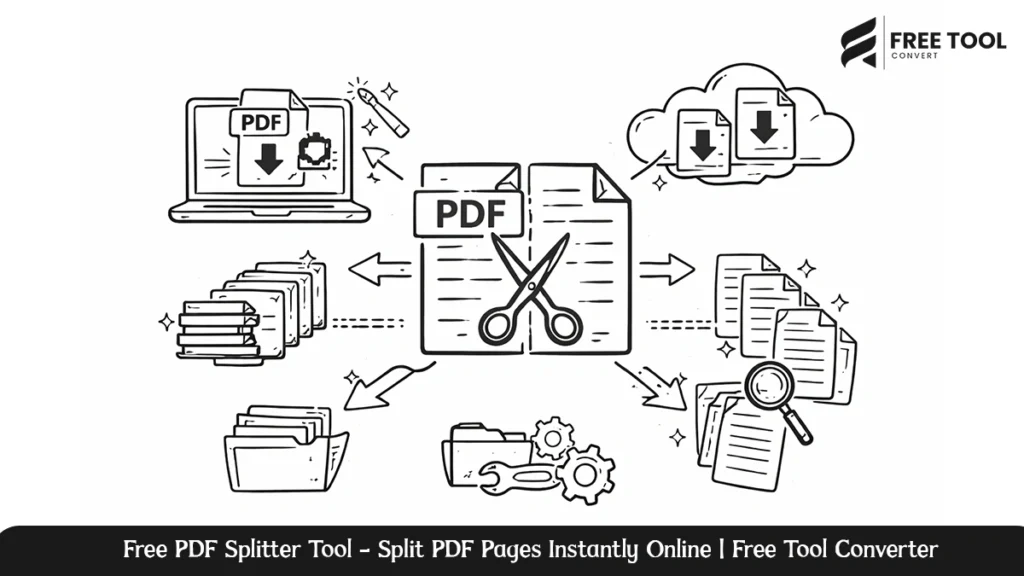
Free PDF Splitter Tool: Handling large PDF files could be a cumbersome process, especially when you are required to split only certain pages of it. This could be either a student wanting to split certain chapters from a book or a professional who needs to split some reports into separate files.
The PDF Splitter from FreeTool Convert is created to split PDF files easily and quickly, and most importantly, absolutely hassle-free. With its clean interface and secure process, it facilitates the splitting of PDF files in a matter of seconds without the need for software installation and technical knowledge.
This in-depth review talks about the FreeTool Convert PDF Splitter tool, its working, prime advantages, uses, and how this tool is the best PDF splitter offered on the internet.
Table of Contents
What Is a PDF Splitter?
A PDF splitter is a web-based tool that helps you to split a single PDF file into more than one smaller PDF document. Using a PDF splitter, you are able to split PDFs on:
- Individual pages.
- Page ranges.
- Selected Pages.
- Each page as a separate file.
You would not need to share or save large files in the form of PDF, and you would be able to handle documents more efficiently by taking only the desired pages.
The FreeToolConvert PDF Splitter is designed to offer the functionality of PDF splitting while ensuring speed, accuracy, and the privacy of the data.
Reasons for Using Free Tool Convert PDF Splitter
FreeToolConvert’s PDF Splitter is unique in the sense that it concentrates on ease of use, speed, and security. This makes it the best tool for both commercial and personal purposes.
1. Simple & user-friendly interface.
It’s easy to use. Upload your PDF, choose where you want to split it, and download it. That’s it! No learning curves or steps that aren’t necessary.
2. No Software Installation Necessary.
The PDF Splitter is an entirely web-based tool. It is possible to split PDF files directly from your browser. This means that you are able to access it from your desktop computer, tablet, or Mobile.
3. High-Speed Processing.
Large PDF files are handled efficiently with optimized cloud infrastructure. This saves time and thereby maximizes productivity.
4. Secure PDF Splitting.
Files that are uploaded to the service are all securely processed, and the files are deleted from the server after processing to maintain total confidentiality of the data.
5. Free to Use.
You can split PDF files on the web totally free of charge without registration or subscription.
Characteristics of Free Tool Convert PDF Splitter
Split PDF by Page Range.
Extract specific page ranges like pages 1 to 5 and 10 to 20 and generate new PDF files in an instant.
Split PDF into Individual Pages.
Split one PDF into multiple PDFs that only contain one page each.
The process of extracting particular pages.
Decide which pages you want to use and exclude unwanted pages from your final output.
Browser-Based Processing.
Downloads are not necessary; plugins are not necessary: simply upload and split.
Cross-Platform Compatibility
Compatible with Windows, macOS, Linux, Android, and iOS devices.
How to Split PDF File Using Free Tool Convert
Splitting the PDF file can be done in a few easy steps and takes only a few seconds:
- Open the ‘PDF Splitter’ page at FreeToolConvert.
- Upload Your PDF File.
- Select Split Method (Page Range or Pages).
- Click the Split button.
- Receive your PDF files that you created.
Who Can Benefit from a PDF Splitter?
Students & Educators
- Removal of chapters from textbooks.
- Assignment or lecture notes split.
- Provide only required pages.
Business Professionals
- Invoice & contract distinction.
- Broken-down financial statements.
- Manages client documents efficiently.
Legal & Compliance Teams
- Black’s Law Dictionary defines.
- Share sections of the report.
Freelancers & Creators
- Split Portfolios.
- Unnecessary pages should be eliminated prior to distribution.
Government & Administrative Offices
- Keep organized records.
- Compress the size of documents.
Benefits of Splitting PDFs Online
There are several advantages of using the Online PDF Splitter over the desktop solution:
- No installation or updates
- Instant access from anywhere
- Reduced system resource usage
- Speedier document processing
- Improved collaboration
FreeToolConvert provides all these benefits in one effective PDF splitter solution.
Why Free Tool Convert PDF Splitter Is Better Than Other
Multiple online applications claim to split PDF files, but none offer such a great combination of speed, safety, and user interface convenience as Free Tool Convert.
Crucial differences are:
- Watermark not present in output files.
- Accounts are never forced.
- Clean and ad-light interface.
- Fast file processing.
- Privacy-respecting file management.
It makes the software a reliable option for users seeking professional-standard PDF splitting without complications.
About Privacy
Privacy is the ability for individuals and communities to have strict data protection procedures:
- Data files are encrypted as they are being transferred.
- Automatic File Deletion after Processing.
- There is no sharing of files.
- No manual access to the uploaded documents.
This promotes complete confidentiality, especially when it comes to sensitive or official PDF files.
Conclusion
The Free Tool Convert PDF Splitter is powerful, secure, and easy to use online. Whether you want to split PDF pages, divide big files, or manage your documents more effectively, this tool provides perfect results every time.
Without installation, without costing anything, and without compromising on the security of your document, it becomes most ideal to decide for students, professionals, and businesses. If you are looking for a quick and trusted method to split PDF online, Free Tool Convert’s PDF Splitter may be the solution you can rely on.
Frequently Asked Questions – Free PDF Splitter Tool
Is the Free Tool Convert PDF Splitter free?
Yes. The program is free for use without any hidden costs.
Do I need to install any software?
No. You can use the PDF splitter within your browser.
Can I break down large files in the PDF format?
Yes. The program handles both small and large PDF files efficiently.
Are my files safe?
Yes. Files are processed in a secure manner and then deleted.
Can I split PDF files on mobile devices?
Yes. The PDF Splitter is mobile-friendly software.
Will watermarks be present on the output PDF files?
No. All split PDF files are watermark-free.
Start splitting your PDF files now using Free Tool Convert PDF Splitter. Please upload your document now and enjoy quick and easy PDF splitting without having to register.