
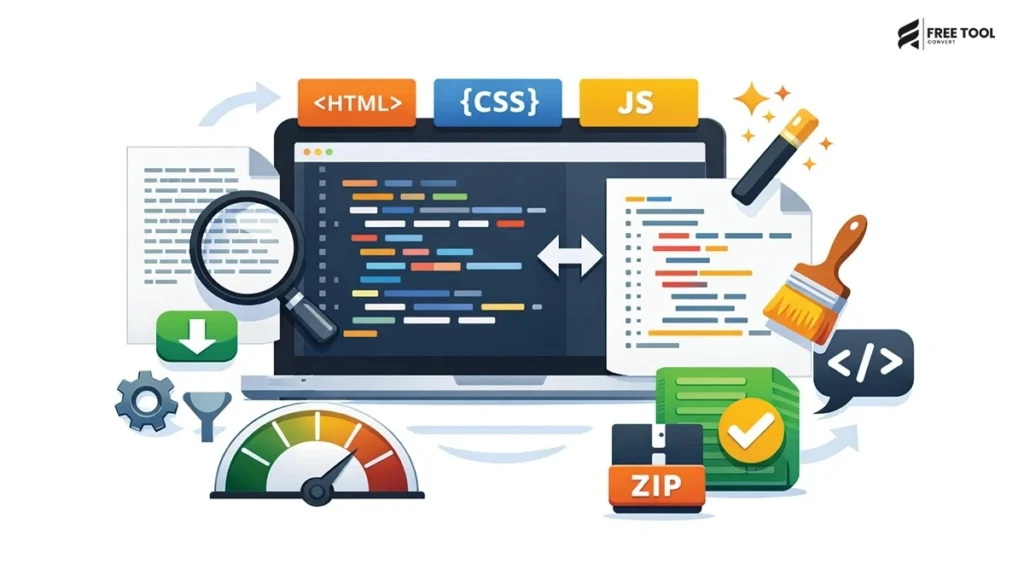
Format Code Online for Free: In today’s fast-paced digital environment, website performance and clean code structure are critical for success. Whether you’re a web developer, designer, SEO expert, or business owner, optimizing your HTML, CSS, and JavaScript files can significantly improve website speed, user experience, and search engine rankings.
At the same time, maintaining readable and well-structured code is equally important for debugging and collaboration. This is where an HTML, CSS & JS Minifier & Beautifier becomes an essential tool.
With FreeToolConvert’s HTML, CSS & JS Minifier & Beautifier, you can instantly compress your code to improve performance or beautify it for readability—all in one place, completely free.
Table of Contents
What Is an HTML, CSS & JS Minifier?
A Minifier is a tool that removes unnecessary characters from code without affecting its functionality. It reduces file size by eliminating the following:
- Spaces
- Line breaks
- Comments
- Redundant code
This results in faster loading websites.
What Is a Beautifier?
A beautifier is a tool that formats code into a clean, readable structure by adding:
- Proper indentation
- Line breaks
- Spacing
- Organized structure
It helps developers understand and debug code easily.
Why Use FreeToolConvert Minifier & Beautifier?
FreeToolConvert Code Tool offers the following:
- HTML minification
- CSS minification
- JavaScript minification
- Code beautification
- Instant processing
- Free unlimited usage
- No login required
- Secure cloud processing
- Mobile-friendly interface
It is one of the best tools to minify and beautify code online free.
Why Minification Is Important
1. Faster Website Loading
Smaller file sizes improve page speed.
2. Better SEO Rankings
Page speed is a ranking factor in Google.
3. Reduced Bandwidth Usage
Optimized files consume less data.
4. Improved User Experience
Fast-loading websites retain users.
5. Better Core Web Vitals
Minified code improves LCP and FCP scores.
Why Beautification Is Important
1. Readable Code
Easier to understand and maintain.
2. Debugging Efficiency
Quickly find and fix errors.
3. Team Collaboration
Clean code improves teamwork.
4. Code Documentation
Better structure helps long-term maintenance.
Minification vs Beautification
| Minification | Beautification |
| Reduces file size | Improves readability |
| Removes spaces | Adds spacing |
| Used for production | Used for development |
| Improves speed | Improves clarity |
Both are essential for a balanced workflow.
How to Minify HTML, CSS & JS Online (Step-by-Step Guide)
Step 1: Open FreeToolConvert Tool
Access the tool in your browser.
Step 2: Paste Your Code
Add HTML, CSS, or JS code.
Step 3: Click Minify
Remove unnecessary characters instantly.
Step 4: Copy Output
Use optimized code in your project.
How to Beautify Code Online
Step 1: Paste Code
Enter messy or minified code.
Step 2: Click “Beautify.”
Automatically format code.
Step 3: Copy Clean Code
Use structured code for development.
Features of FreeToolConvert Code Tool
- HTML minifier
- CSS minifier
- JS minifier
- Code beautifier
- Syntax formatting
- Instant processing
- Large code support
- Copy-to-clipboard
HTML Minification Explained
HTML minification removes:
- Extra spaces
- Comments
- Line breaks
Result: Faster page rendering.
CSS Minification Explained
CSS minification removes:
- Whitespace
- Comments
- Redundant selectors
Result: Smaller stylesheet size.
JavaScript Minification Explained
JS minification removes:
- Spaces
- Comments
- Unused variables
Result: Faster script execution.
Code Beautifier for Developers
Developers use beautifiers to:
- Read complex code
- Debug scripts
- Maintain structure
- Improve productivity
SEO Benefits of Code Minification
Minified code improves the following:
1. Page Speed
Faster load time improves rankings.
2. Core Web Vitals
Better LCP, CLS, and FID scores.
3. Mobile Performance
Optimized code loads faster on mobile.
4. User Experience
Smooth browsing increases engagement.
Code Optimization for Web Developers: Beautify Code Online
Developers use minifiers to:
- Optimize websites
- Reduce server load
- Improve performance
- Enhance user experience
Code Beautifier for Beginners: Format Code Online for Free
Beginners benefit from:
- Understanding code structure
- Learning formatting
- Debugging easily
Common Mistakes in Code Optimization: Minify & Beautify Code Instantly
- Over-minifying code
- Removing essential comments
- Not testing after minification
- Ignoring readability
Always test code after optimization.
Best Practices for Minification: Minify & Beautify Code Instantly
- Minify code for production
- Keep original code for editing
- Test functionality after minifying
- Combine with compression (Gzip)
- Use CDN for faster delivery
Mobile-Friendly Code Optimization
FreeToolConvert allows the following:
- Minify code on mobile
- Beautify instantly
- Copy results
- No installation required
Code Minifier vs Compression: Format Code Online for Free
| Minifier | Compression |
| Removes spaces | Reduces file size further |
| Improves readability | Improves transfer speed |
| Works on code | Works on server level |
Use both for best performance.
Advanced Features of FreeToolConvert: Minify & Beautify Code Instantly
- Real-time processing
- Fast performance
- Large file support
- Clean UI
- Secure usage
Future of Code Optimization Tools: Beautify Code Online
With AI advancements:
- Smart code optimization
- Automatic formatting
- Error detection
- Performance suggestions
Security & Privacy: Minify & Beautify Code Instantly
FreeToolConvert ensures:
- HTTPS encryption
- No data storage
- Secure processing
Conclusion: Format Code Online for Free
An HTML, CSS & JS Minifier & Beautifier is an essential tool for developers, designers, and website owners. It helps optimize code for performance while maintaining readability for development.
With FreeToolConvert, you can instantly minify and beautify your code—improving website speed, SEO rankings, and user experience.
Whether you’re building a website, optimizing performance, or debugging code, this tool simplifies your workflow and boosts efficiency.
If you want faster websites and cleaner code—start using a free code minifier and beautifier today.
Frequently Asked Questions (FAQs): Free code minifier & beautifier online
1. What is a code minifier?
A tool that reduces file size by removing unnecessary characters.
2. What is a beautifier?
A tool that formats code for readability.
3. Is FreeToolConvert tool free?
Yes, completely free.
4. Does minification affect functionality?
No, if done correctly.
5. Is minification good for SEO?
Yes, it improves page speed.
6. Can I use it on mobile?
Yes, fully compatible.
Minify & Beautify Code Instantly
Ready to optimize your code?
👉 Open FreeToolConvert HTML, CSS & JS Tool.
👉 Paste your code
👉 Minify or beautify instantly
👉 Copy optimized code
Start using the free code minifier & beautifier online today and boost your website performance effortlessly!