
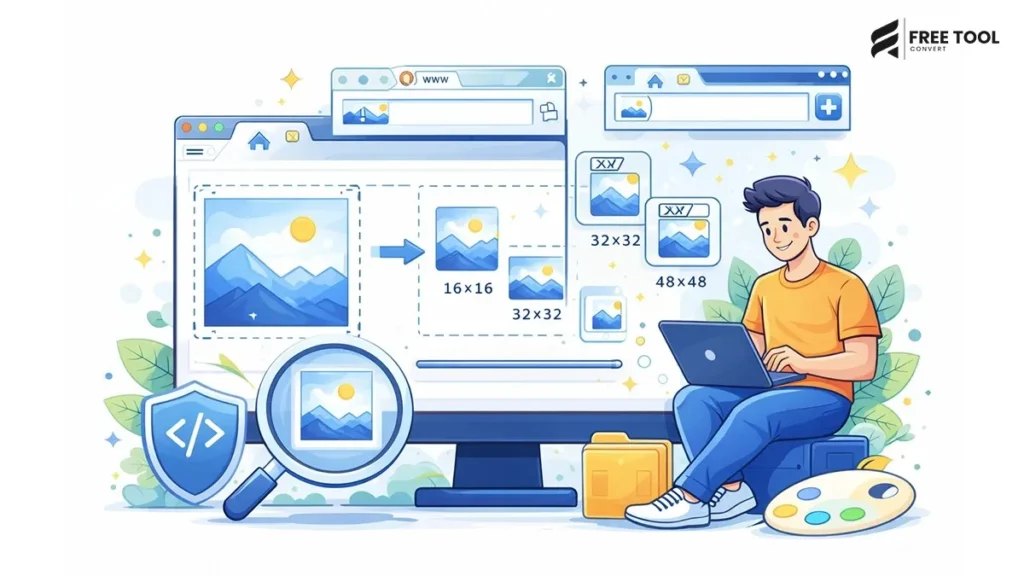
Favicon Generator online:
In the vast realm of the web and digital marketing, where every aspect counts, even the simplest things have significance. A prime example of this is the favicon, the small image representing your website on browser tabs, third-party search results, etc. Could such a tiny detail be so important?
Table of Contents
This is the point where you need a Favicon Generator
The best online professional favicon generator ensures the creation of the right-sized favicon files for websites, apps, and platforms without the need to resize or code. It‘s good for a blog, a corporate website, an eCommerce store, a SaaS platform, a personal portfolio… a cover image for your project. A properly optimized favicon makes your brand more recognizable and improves the user experience.
What Is a Favicon?
A favicon (short for “favorite icon”) is a small icon associated with a website. It appears in:
- Browser tabs
- Bookmark bars
- Search engine results
- Mobile home screens
- Web app shortcuts
Favicons enable users to distinguish your website on a list of many open tabs immediately.
A favicon generator tool generates optimal favicon files in multiple sizes and formats needed by browsers and devices.
To answer this question, we need to understand: Why Is a Favicon Heartbeating?
Many website owners overlook favicons, but they serve several key purposes:
1. Brand Recognition
Your favicon builds brand identity.
2. Professional Appearance
Websites with no favicons just look unfinished.
3. Improved User Experience
In the browser tab, it‘s the first thing your users recognize.
4. Bookmark Visibility
Favicons are displayed in the row of bookmarks.
5. Increased Trust
Professional branding is credible.
Although they don‘t directly rank higher in search engines.
What Is a Favicon Generator
A Favicon Generator is an online program that generates correctly sized favicon files from your logo or image by automatically creating .ico files
- PNG favicon files
- Various sizes (16×16, 32×32, 48×48, etc
- Apple touch icons
- Icons for Android
- Manifest Files.
Using a favicon generator online guarantees your website icon will be accepted in all browsers and devices.
Standard Favicon Sizes
A professional favicon generator produces multiple sizes:
- Browser tab: 16×16 px
- 32×32 px (taskbar icon)
- 48×48 px (desktop shortcut)
- 64×64 px
- 96×96 px
- 128×128 px.
- 180×180 px (Apple touch icon)
- Android icon 192×192 px
- 512×512 px (PWA apps).
It is complicated to generate all sizes manually; hence, a generator is needed.
How to Create a Favicon Online (Step-by-Step Guide)
Creating a favicon using an online favicon generator is simple:
Step 1: Upload Your Logo
Upload a square image if using only text images, preferably in PNG format with a transparent background.
Step 2: Choose Settings
Choose size, background color, and padding.
Step 3: Generate Favicon
The tool generates favicon file formats automatically.
Step 4: Download Files
Download favicon.ico and supporting files.
Step 5: Add to Website
Upload to your website’s root directory.
Best Image Format for Favicon
The recommended formats include
- PNG (transparent background support)
- ICO Browser (everyday browser support)
- SVG (scalable vector support for modern browsers)
Most icon generator tools convert PNG to ICO automatically.
Favicon Generator for Businesses
Businesses use favicon generators to:
- Enhance the brand for the identity. 1.2.4.2
- Signature, professional, etc.
- Improve marketing consistency
- Improve mobile app appearance
- Support Progressive Web Apps (PWA)
Branding is in the details.
Favicon Generator for Bloggers
Bloggers benefit from favicons because
- Improves Brand recall
- Better support for the global use of the bookmark
- Makes blog feel finished and refined
- Gains the reader‘s confidence
- Even small blogs have good branding.
Favicon Generator for eCommerce Stores
Online stores use favicons to:
- Enhance brand awareness
- Build customer trust
- Support mobile shortcuts
- Build visual identity
Key point: Conversion rates are higher when pages are more consistent.
Common Mistakes When Creating Favicons
- Photographs that are not square
- Upload a low-resolution logo
- Disregarding transparency
- Designs that are text intensive.
- Keep the favicon simple and recognizable.
Best Practices for Designing a Favicon
- Keep it simple.
- Use strong colors.
- Not too much text.
- Keep high contrast.
- Ensure the type size is legible in the presentation. Use square format.
- Make clearly visible at 16×16
- Test across different browsers.
- Keep it simple.
Favicon and Progressive Web Apps (PWA)
PWAs are used on contemporary websites.
Favicons are required for:
- Home screen shortcuts
- Icons for mobile applications.
- Splash screens
- Android manifests. Android, the most prominent of the Linux-based operating systems, was designed by the Open Handset Alliance. Currently there are numerous available applications. It has a powerful and customizable user interface and an increasing selection of features.
- A favicon generator guarantees that it will work.
Mobile Optimization and Favicons
Favicons are displayed in query results on search pages.
Optimized favicon:
- Improves CTR
- Improves brand trust
- Encourage higher recognition
- Branching, supports mobile branding.
- Mobile visibility will be vital in 2026
Advanced Features in Modern Favicon Generators
Modern tools provide:
- Automatic background removal
- Transparent background support
- Custom padding
- Multi, platform icon export
- Manifest.json generation
- Apple touch icon generation
- Previews en temps réel
- Processing in the cloud
The advanced features make the creation of icons much easier.
The Future of Favicons
As web technology evolves:
- SVG favicons will become more mainstream.
- Animated favicons have the potential to increase.
- PWA icons will rule over us
- Brand continuity will become vital
- Digital branding is always changing.
Security and Privacy
Choose a favicon generator that:
- Uses HTTPS encryption
- Removes uploaded images from the editor.
- Does not keep any details of the user.
- Processes images securely in the cloud
- Affordable privacy protection matters.
Conclusion
A favicon generator is a small but effective tool for branding your website and helping visitors recognize you. These small graphics may be tiny, but they make a huge difference in branding.
Setting up a properly optimized favicon ensures that your website shows up across all platforms in every browser, and it plays a significant role in giving your website and business more exposure, from brand recognition to giving your business and website more credibility. It is important for every website owner, blogger, business, and eCommerce store.
A professional online favicon generator can really save your time, as well as provide you with ready-to-upload icon files.
If you want your website to look finished, professional, and memorable, you need to generate a high-quality favicon.
Frequently Asked Questions (FAQs)
1. What is the ideal favicon size?
16×16 and 32×32 are the sizes of representative images that browsers may use.
2. Can I use PNG as a favicon?
Yes, PNG is well supported.
3. Do favicons affect SEO?
Indirectly, they enhance CTR and brand awareness.
4. Can I create a favicon online for free?
Yes, there are many free favicon generator tools.
5. Why is my favicon not showing?
Cleared browser cache and path files correctly.
6. Should the favicon have a transparent background?
Yes, transparency is more aesthetically pleasing. Generate Your Favicon Instantly
Need to make a professional-looking website icon? Go ahead and upload your logo now.
Automatically generate all favicon sizes. Download the plug-and-play files immediately. Get your brand seen.
Begin to use the Favicon Generator, and in seconds you will have a professional identity for your website.