
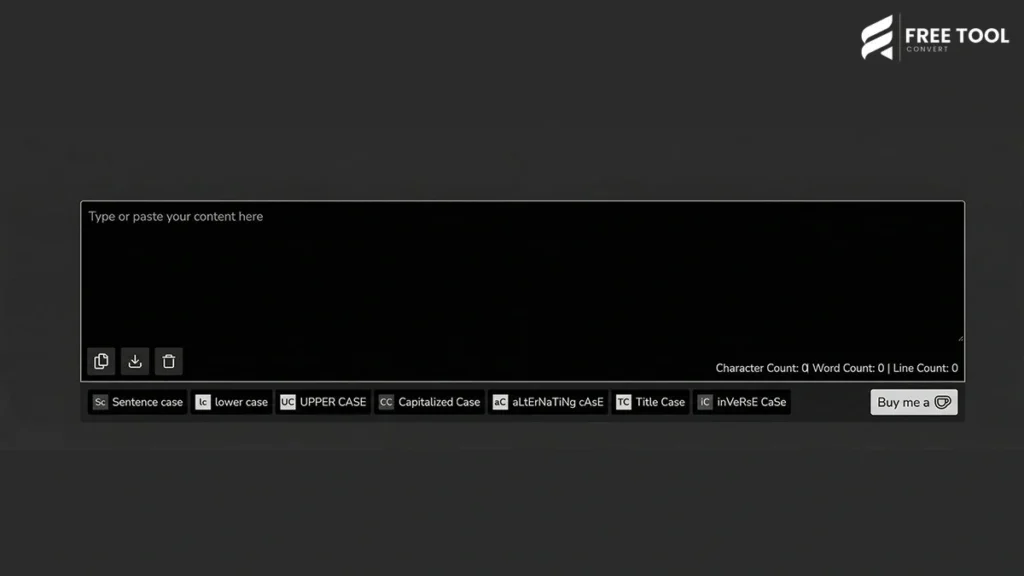
Case Converter Tool: In today’s digital world, text formatting plays a crucial role in communication, content creation, coding, and data management. Whether you’re writing emails, preparing documents, coding scripts, or managing SEO content—maintaining the correct text format is essential.
This is where a Case Converter Tool becomes extremely useful.
With FreeToolConvert’s Case Converter, you can instantly transform text into uppercase, lowercase, sentence case, title case, or toggle case—all in one click. No manual editing, no errors, and no wasted time.
Table of Contents
What Is a Case Converter?
A Case Converter is a tool that changes the capitalization style of text automatically. Instead of manually editing each word or sentence, you can convert entire paragraphs instantly.
Using FreeToolConvert Case Converter, you can
- Convert text to uppercase
- Convert text to lowercase
- Change to title case
- Convert to sentence case
- Toggle case (switch uppercase/lowercase randomly)
- Format text for SEO, coding, or writing
It’s a simple yet powerful tool for everyday tasks.
Why Use a Case Converter Tool?
Here’s why professionals rely on case converters:
1. Saves Time
Convert large text instantly without manual editing.
2. Eliminates Errors
Avoid capitalization mistakes.
3. Improves Readability
Proper case improves content clarity.
4. Enhances SEO Content
Optimized titles and headings improve ranking.
5. Useful for Coding
Maintain correct syntax in programming.
Why Choose FreeToolConvert Case Converter?
FreeToolConvert Case Converter Tool offers the following:
- 100% free usage
- Instant conversion
- Multiple case formats
- No login required
- Mobile-friendly interface
- Secure processing
- Clean and simple UI
- Unlimited usage
It is one of the best tools to convert text case online free.
Types of Text Case You Can Convert
A professional case converter supports multiple formats:
1. Uppercase (ALL CAPS)
Example:
THIS IS AN EXAMPLE TEXT
Used for:
- Headlines
- Emphasis
- Warnings
2. Lowercase
Example:
this is an example text
Used for:
- Casual writing
- Coding
- Data formatting
3. Sentence Case
Example:
This is an example text.
Used for:
- Articles
- Blogs
- Professional writing
4. Title Case
Example:
This Is An Example Text
Used for:
- Headlines
- Titles
- SEO content
5. Toggle Case
Example:
This is an example.
Used for:
- Creative writing
- Fun formatting
How to Use Case Converter Online (Step-by-Step Guide)
Using FreeToolConvert is simple:
Step 1: Open Case Converter Tool
Access the tool in your browser.
Step 2: Paste Your Text
Enter or paste your content.
Step 3: Select Case Format
Choose uppercase, lowercase, title case, etc.
Step 4: Convert Instantly
Click to apply formatting.
Step 5: Copy Output
Use your formatted text anywhere.
No technical skills required.
Features of FreeToolConvert Case Converter
- Instant text conversion
- Multiple case options
- Large text support
- Copy-to-clipboard
- Mobile compatibility
- Secure and private usage
- No installation required
Case Converter for Content Writers
Writers use case converters to:
- Format blog titles
- Fix capitalization errors
- Create SEO-friendly headings
- Maintain consistency
Case Converter for SEO Experts
SEO professionals use it to:
- Optimize meta titles
- Format headings (H1, H2, H3)
- Improve readability
- Maintain keyword consistency
Case Converter for Developers
Developers use case conversion for:
- Code formatting
- Variable naming
- Data processing
- Debugging text
Case Converter for Students
Students benefit from:
- Formatting assignments
- Writing essays
- Preparing presentations
Case Converter for Businesses
Businesses use it for:
- Email formatting
- Documentation
- Marketing content
- Branding consistency
SEO Benefits of Proper Text Case
Correct text formatting improves the following:
1. Readability
Better readability improves user engagement.
2. Click-Through Rate (CTR)
Proper title case attracts clicks.
3. Content Structure
Well-formatted headings improve SEO.
4. User Experience
Clean text improves usability.
Case Converter vs Manual Editing
| Case Converter | Manual Editing |
| Instant | Time-consuming |
| Error-free | Error-prone |
| Automated | Manual effort |
| Efficient | Inefficient |
Using a case converter saves time and effort.
Common Mistakes in Text Formatting
- Incorrect capitalization
- Inconsistent headings
- Mixing uppercase/lowercase
- Poor readability
A case converter fixes these instantly.
Best Practices for Text Case Conversion
- Use title case for headings
- Use sentence case for content
- Avoid excessive uppercase
- Maintain consistency
- Proofread after conversion
Case Converter for Social Media
Social media marketers use it to:
- Format captions
- Create attention-grabbing posts
- Maintain brand tone
Mobile Case Conversion
FreeToolConvert allows the following:
- Convert text on mobile
- Copy instantly
- No app required
Advanced Features of FreeToolConvert
- Real-time conversion
- Large text handling
- Clean UI
- Fast performance
- Secure processing
Future of Text Formatting Tools
With AI integration:
- Smart grammar correction
- Auto-format suggestions
- Content optimization
Security & Privacy
FreeToolConvert ensures:
- No data storage
- Secure processing
- Safe usage
Conclusion
A Case Converter Tool is a simple yet powerful utility for anyone working with text. Whether you’re a writer, developer, student, marketer, or business professional — proper text formatting is essential.
With FreeToolConvert Case Converter, you can instantly transform text into the desired format, saving time and improving accuracy. From SEO content to coding and communication, this tool enhances productivity and ensures professional output.
If you want clean, consistent, and properly formatted text—start using a free case converter today.
Frequently Asked Questions (FAQs)
1. What is a case converter?
A tool that changes text capitalization automatically.
2. Is FreeToolConvert Case Converter free?
Yes, completely free.
3. Can I convert large text?
Yes, it supports large content.
4. Does it work on mobile?
Yes, fully mobile-friendly.
5. Is my data secure?
Yes, no data is stored.
6. What case is best for SEO?
Title case for headings and sentence case for content.
Convert Text Case Instantly
Ready to format your text?
👉 Open FreeToolConvert Case Converter
👉 Paste your text
👉 Choose desired case
👉 Copy formatted text instantly
Start using the free case converter online today and make your text clean, professional, and error-free!