
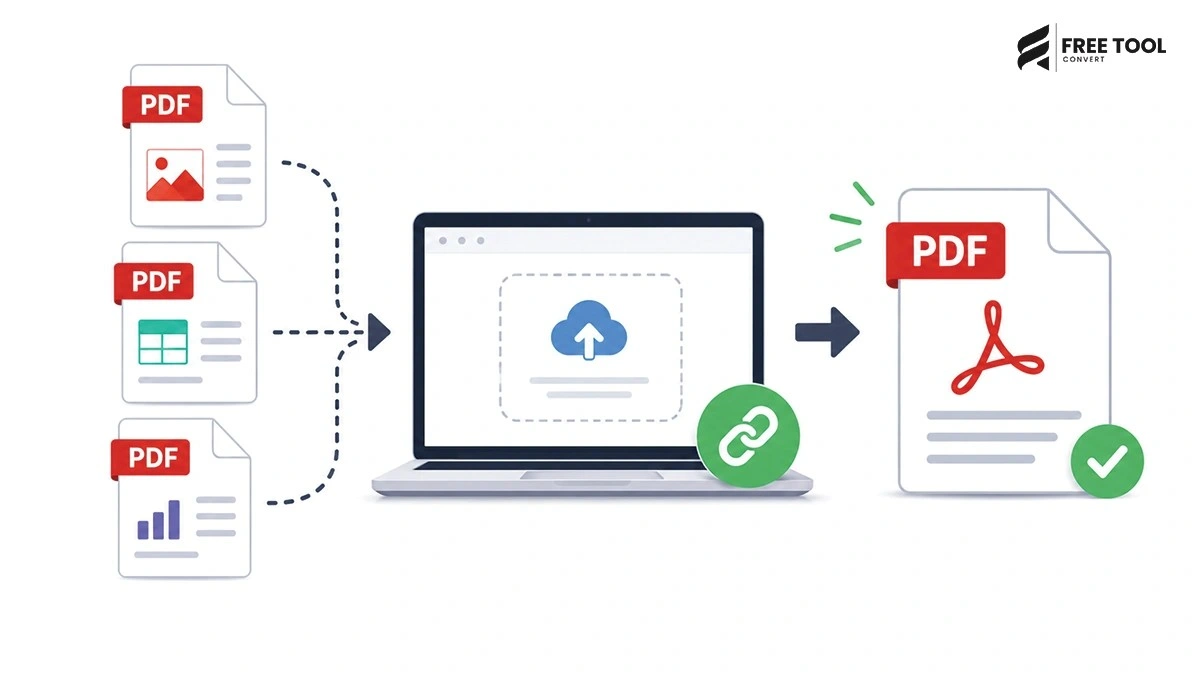
How to Merge PDF Files Online: In today’s digital workflow, PDF files are widely used for documents, reports, contracts, resumes, and presentations. However, managing multiple PDF files can quickly become inconvenient—especially when you need to share or organize them.
This is where merging PDF files becomes essential.
Instead of sending multiple files separately, you can combine them into a single, well-structured document. The best part? You can do it online for free, without installing any software.
With FreeToolConvert’s PDF Merger Tool, you can merge multiple PDF files instantly, securely, and efficiently.
Table of Contents
What Does It Mean to Merge PDF Files?
Merging PDF files means combining two or more PDF documents into a single file while maintaining:
- Original formatting
- Page order
- Image quality
- Text clarity
It’s a simple yet powerful way to organize documents.
Why Use an Online PDF Merger?
Here’s why online tools are the preferred choice:
No Installation Required
Works directly in your browser.
Fast & Easy
Merge files in seconds.
Works on All Devices
Windows, macOS, Android, iOS.
Secure Processing
Files are encrypted and auto-deleted.
Free to Use
No subscriptions or hidden costs.
Why Choose FreeToolConvert PDF Merger?
FreeToolConvert PDF Merge Tool offers:
- 100% free usage
- Unlimited PDF merging
- No watermark
- Secure file encryption
- Fast cloud-based processing
- Mobile-friendly interface
- No login required
It is one of the best tools to merge PDF files online free.
How to Merge PDF Files Online (Step-by-Step Guide)
Follow these simple steps:
Step 1: Open PDF Merger Tool
Go to FreeToolConvert PDF Merge page.
Step 2: Upload PDF Files
Select or drag and drop multiple PDFs.
Step 3: Arrange Files
Reorder files as needed.
Step 4: Click “Merge”
The tool combines your files instantly.
Step 5: Download Merged PDF
Save your final document.
Key Features of FreeToolConvert PDF Merger
- Merge unlimited PDFs
- Maintain original quality
- Drag-and-drop interface
- Reorder pages easily
- Fast processing
- Secure file handling
- No watermark
Benefits of Merging PDF Files
Better Organization
Keep all documents in one place.
Easy Sharing
Send a single file instead of multiple attachments.
Professional Presentation
Clean and structured documents.
Improved Workflow
Save time managing files.
Use Cases for PDF Merging
Students
- Combine assignments
- Merge study materials
Professionals
- Merge reports and documents
- Combine invoices
Businesses
- Organize contracts
- Create presentations
Designers
- Combine portfolios
- Share design files
Common Scenarios Where PDF Merging Helps
- Combining scanned pages
- Merging resumes with certificates
- Creating eBooks
- Joining legal documents
Best Practices for Merging PDFs
- Arrange files in correct order
- Check file quality before merging
- Remove unnecessary pages
- Use reliable tools
- Review final output
Common Mistakes to Avoid
- Uploading low-quality PDFs
- Incorrect file order
- Merging without preview
- Using unsafe tools
PDF Merge vs PDF Split
| PDF Merge | PDF Split |
| Combines files | Separates files |
| Creates one document | Creates multiple documents |
| Useful for sharing | Useful for editing |
Mobile-Friendly PDF Merging
FreeToolConvert allows:
- Merge PDFs on mobile
- Upload files easily
- Download instantly
No app required.
Security & Privacy
FreeToolConvert ensures:
- TLS encryption
- No data storage
- Automatic file deletion
- Secure cloud processing
SEO Benefits of Optimized PDF Files
Merging PDFs helps:
- Improve document organization
- Reduce file clutter
- Enhance user experience
- Improve website performance
Advanced Features (If Available)
- Batch merging
- Drag-and-drop sorting
- Page preview
- Cloud processing
Future of PDF Tools
With AI integration:
- Smart document organization
- Auto-merging suggestions
- Intelligent file handling
Conclusion
Merging PDF files online is a simple yet powerful way to organize, manage, and share documents efficiently.
With FreeToolConvert PDF Merger, you can combine multiple PDF files into one — quickly, securely, and completely free.
Whether you’re a student, professional, or business owner, this tool helps streamline your workflow and improve productivity.
Frequently Asked Questions
Can I merge PDF files online for free?
Yes, FreeToolConvert allows free PDF merging.
Is it safe to merge PDFs online?
Yes, files are encrypted and deleted automatically.
Can I merge multiple PDFs at once?
Yes, you can merge multiple files easily.
Does merging affect quality?
No, quality remains unchanged.
Can I use it on mobile?
Yes, fully mobile-compatible.
Do I need to install software?
No, it works in your browser.
Merge PDF Files Instantly
Ready to combine your documents?
Open FreeToolConvert PDF Merger
Upload your PDF files
Arrange and merge instantly
Download your final document
Start using the free PDF merger online today and manage your documents effortlessly!